
Hi @kevin
I don’t see your pull request in the Openhab list. It is probably only in your fork. You have to create the PR in the official repo. Please follow the conventions : openhab-distro/CONTRIBUTING.md at main · openhab/openhab-distro · GitHub (specially the “merge commits”) before creating your PR.
Thanks, will get onto this when I have time to work out exactly what is required. I’m totally new to all this “Git / Pull / Fork / Repo / Issue / Documentation / Commit / Merge” business so given that my first attempt didn’t work, I clearly need to understand what’s needed before I try again…
In the meantime my first attempt I think can be found at:
https://github.com/sheppy99/openhab/pulls
Having a look at your repo :
- You have to create the 2 commits in the same branch (for instance, sheppy99-AddNumberTypeToLighting4Outputs)
- Then install a github client (for instance, https://desktop.github.com/)
- Clone your new branch on your PC
- Squash the 2 commits in a single one using the github client (described in openhab-distro/CONTRIBUTING.md at main · openhab/openhab-distro · GitHub). It will avoid to have multiple PRs for a single Openhab binding new feature
- After git rebase -i and git push -f, your desktop and your local branch should be synced. You can now go to the official Openhab repo and create a pull request between your branch and the official repo
- Your pull request are useless as they are only local to your repo (=you asked yourself to merge your commit).
I’ve tried to follow this, and now I have a Git client on my desktop, however I don’t understand what I have to do next and the only thing I can find to squash is a nearby fly - see picture of what I have so far, I’m on Win7 - apologies if this is blindingly obvious!
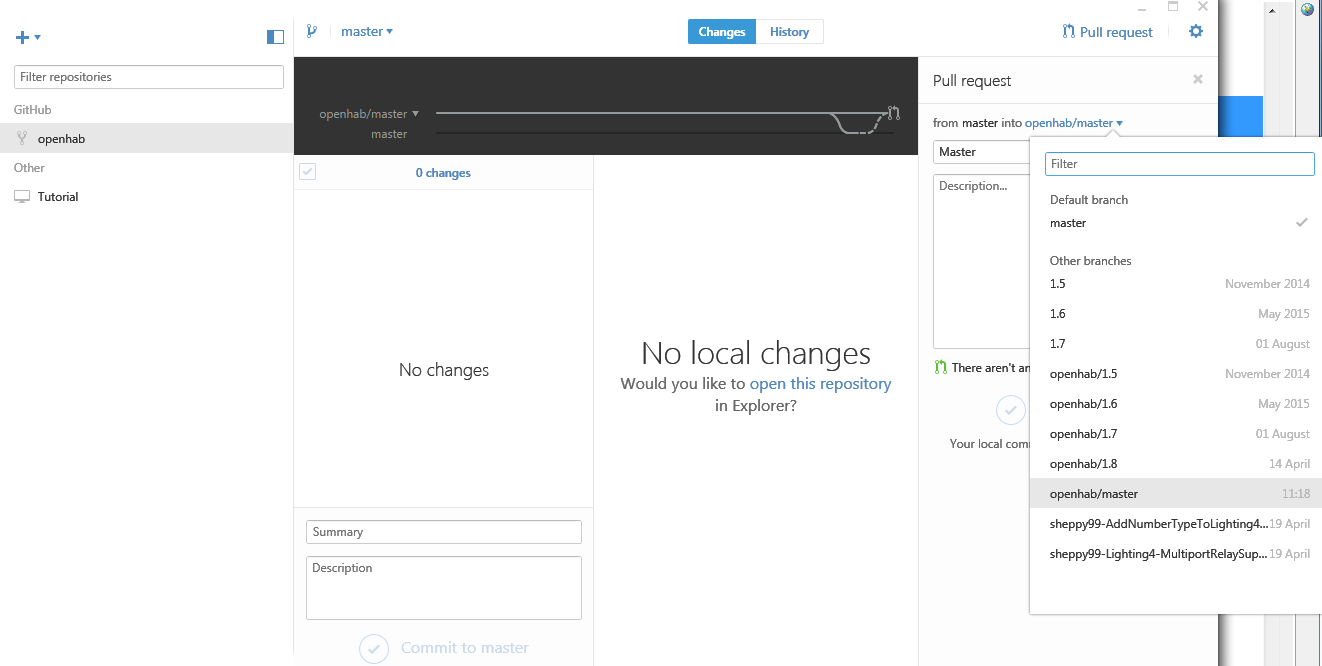
To complete this thread I’ve given up on trying to make sense of Desktop GIT / Web GIT / Pulls etc and copy and pasted the information into an enhancement request at [RFXCOM] Enhancement to allow use with Lighting4 4 port relay boards · Issue #4352 · openhab/openhab1-addons · GitHub Hopefully those that know more can pick it up and paste my working changes into the binding for future use.
If anyone wants a copy of my working binding please PM me.
I have the same issue as you trying to command a 4-relay board. Could you please share your modified rfxcom binding?
Here’s the link https://dl.dropboxusercontent.com/u/71340894/org.openhab.binding.rfxcom_1.9.0.201604141342.jar
I’ve just taken my 4-port relay out of service as the range was a lot worse than with my single channel ones, the binding has worked flawlessly for a few weeks though.
The item will look something like:
Number FourPortRelay { rfxcom=">292184.550:LIGHTING4.PT2262:Number" }
The 292184 will need changing to whatever your device is, or you could just leave it as is and then send a number 1 to it whilst its in learning mode.
The Number that is sent to it is based upon which relays are on and off in Binary, then converted to Decimal. I did this in a rule
var java.util.concurrent.locks.ReentrantLock lock95 = new java.util.concurrent.locks.ReentrantLock()
var Number RelayStatus

rule "4 port relay"
when Item Relay1 changed
or Item Relay2 changed
or Item Relay3 changed
or Item Relay4 changed
then
lock95.lock()
try	{
	RelayStatus = 0
	if (Relay1.state == ON)	{	RelayStatus = RelayStatus + 8	}
	if (Relay2.state == ON)	{	RelayStatus = RelayStatus + 4	}
	if (Relay3state == ON)	{	RelayStatus = RelayStatus + 2	}
	if (Relay4.state == ON)	{	RelayStatus = RelayStatus + 1	}
    FourPortRelay.sendCommand(RelayStatus)
}	finally	{	lock95.unlock()		}
end
Thank you very much!
Is this now integrated into the OH2 binding? Or do I need to do something to use this?
thank you
Daniel
Not in OH1, I do not know about OH2. I had to download a manually hacked version of this module, see post #27. I also had to use it slightly differently to the way @kevin described, because in my case I need to send an arbitrary sequence, not one limited to those on/off commands, which my Mercury equipment does not support. Having said that, it all works reliably for me.
I think something has recently been updated with the binding as I had a bunch of notifications from GitHub. I’d give it a try, the GitHub thread is below
I just created a pull request to support this in OH2, if people have time please test it!