
But even there, it is used for e.g.indicating a setpoint, a target temperature for a thermostat. Would you expect that to appear in a collection of ‘temperatures’?
Well, actually, yes - I would. And I would expect it to contain different sections depending on how the point itself had been tagged (which the OH model covers for your examples by allowing “Setpoint” and “Measurement” as distinct types).
Which - coincidentally - exactly what the UI in OH3 actually does
I click the box with “10 temperatures” (in the properties view, see earlier post), and it pops up with those 10 items in more detail, subdivided into sections by the point type - so all the measurements are together, and all the setpoints are together.
Consider an Item of type Number:Dimensionless
These can be expressed in units like %, db, ratio.
Would you expect all such Items to appear in a list of ‘humidity’? Or ‘cloud cover’? Or ‘rollerblind position’? It’s going to get messy.
Well, no I wouldn’t, because there isn’t an obvious mapping through to a property type there defined in the semantic model.
But many are. Temperature is, Pressure, Energy, Power, Pressure.
To take another disappointment - the semantic model defines a point type of Voltage (which is not only a measure of potential difference, but it’s constrained us to a single type of unit). I can tag my items as ["Measurement", "Voltage"]. This is sufficient to place them in the “Voltage” section of the properties UI. But:
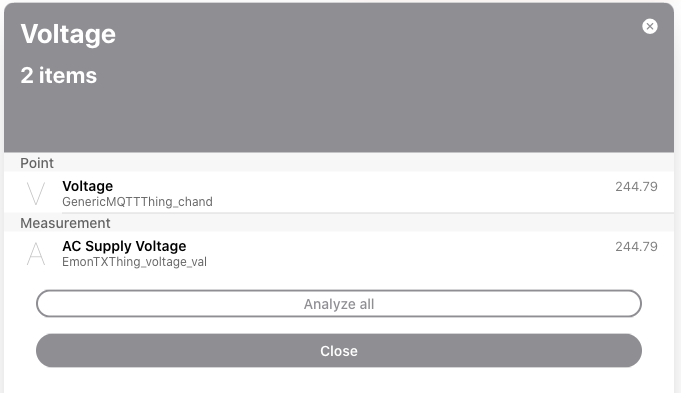
Notice how the measurement has no units. Nothing in the UI acts on this semantic data - the graphs don’t have the correct units, adding cells to the UI layout doesn’t label the value just shows ‘244.79’ not ‘244.79 V’ (and I can’t override the display from what I’ve seen so far, let alone the UI be able to understand 'this is an SI unit, so if there’s not enough space to display 12809.99 kWh, I can go to the next unit up and show 12.8 MWh)
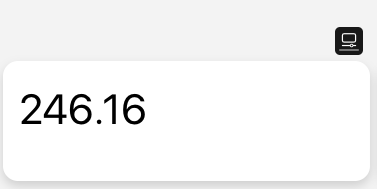
Which feels a bit of a shame.
[Getting Started with OH3: rewriting the tutorial - 6. Model your home with Items & link Channels]