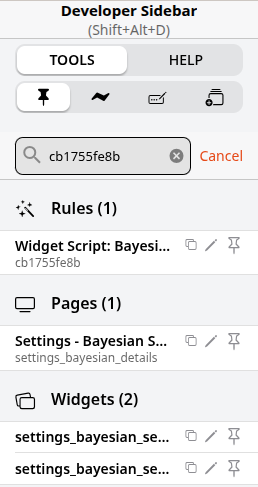
searching for where existing rules/scenes/scripts etc are used in openHAB’s UI is very annoying
not very fancy but working I wrote a little bash script to search where rules/scenes/scripts are used in the UI of openHAB (in my case I want to know whether a specified scene/rule is used in other automations, inline scripts or in pages)
basically the script searches your jsondb files(automation_rules.js, uicomponents_ui_pages.json and uicomponents_ui_widget.json) with “jq” (commandline JSON processor)
sudo apt update && sudo apt install jq
just run the script with or without parameter to search for “myRule_or_whatever” and see where it’s used in your UI
please excuse my horrible English 
#!/usr/bin/bash
dsh='-----'
[ -z "$1" ] && read -p "search: " s || s="$1"

echo "searching for: '$s'"
f=/var/lib/openhab/jsondb/automation_rules.json
p=/var/lib/openhab/jsondb/uicomponents_ui_page.json
w=/var/lib/openhab/jsondb/uicomponents_ui_widget.json

echo $dsh
echo "results in Rules:"
output=$(echo '{"daten": []}' | jq -r --arg s "$s" 'to_entries[] | select( [.. | strings | select(ascii_downcase | contains($s | ascii_downcase))] | any ) | "Regel-UID: \(.key) | Name: \(.value.value.name)"' $f)
if [[ -z "$output" ]]; then
  output=" - no results"
fi
echo "$output"
echo $dsh
echo "results in Pages"
output=$(echo '{"daten": []}' | jq -r --arg s "$s" 'to_entries[] | select( [.. | strings | select(ascii_downcase | contains($s | ascii_downcase))] | any ) | "Page-UID: \(.key) | Name: \(.value.value.name)"' $p)
if [[ -z "$output" ]]; then
  output=" - no results"
fi
echo "$output"
echo $dsh
echo "results in widgets"
output=$(echo '{"daten": []}' | jq -r --arg s "$s" 'to_entries[] | select( [.. | strings | select(ascii_downcase | contains($s | ascii_downcase))] | any ) | "Widget-UID: \(.key) | Name: \(.value.value.name)"' $w)
if [[ -z "$output" ]]; then
  output=" - no results"
fi
echo "$output"
echo $dsh
just place the script in your home directory, name it “searchoh.sh” or whatever you prefer
remember to make it executable
you can run the script with a parameter (ex: ./searchoh.sh myRule_or_whatever) or without parameter. If no parameter is provided the script asks for by using “read”
the output looks like:
searchoh myRule_or_whatever
searching for: 'myRule_or_whatever'
-----
results in Rules:
Regel-UID: UID_of_myRule_or_whatever | Name: myRule_or_whatever
Regel-UID: c5292abf86 | Name: Rule_which_is_using_myRule_or_whatever
-----
results in Pages
Page-UID: Page_which_is_using_myRule_or_whatever | Name: null
-----
results in widgets
 - no results
-----