
BETA – testers welcome!
This binding is in beta (version 0.x). Login, backup upload and cleanup are tested and working.
I’m looking for testers on different setups (openHABian, package installs, Docker, large backups, slow connections).
Please report bugs and ideas in this thread or as GitHub issue. Thank you!
Google Drive Binding
Automatically uploads your openHAB backups to Google Drive and removes old backups there.
openHAB already creates backups in userdata/backup (for example with a rule that runs the backup script). The binding watches that folder and uploads every new backup to a folder in your Google Drive. Everything is configured in the openHAB UI – no shell scripts, no rclone, no sudo rules.
Features
- Easy login with a device code on Anmelden – Google Konten – no HTTPS or port forwarding needed
- Automatic upload of new backups as soon as the archive is completely written
- Resumable upload in 8 MB chunks – continues after network errors, failed uploads are retried
- Checksum verification – files already in Google Drive are not uploaded twice
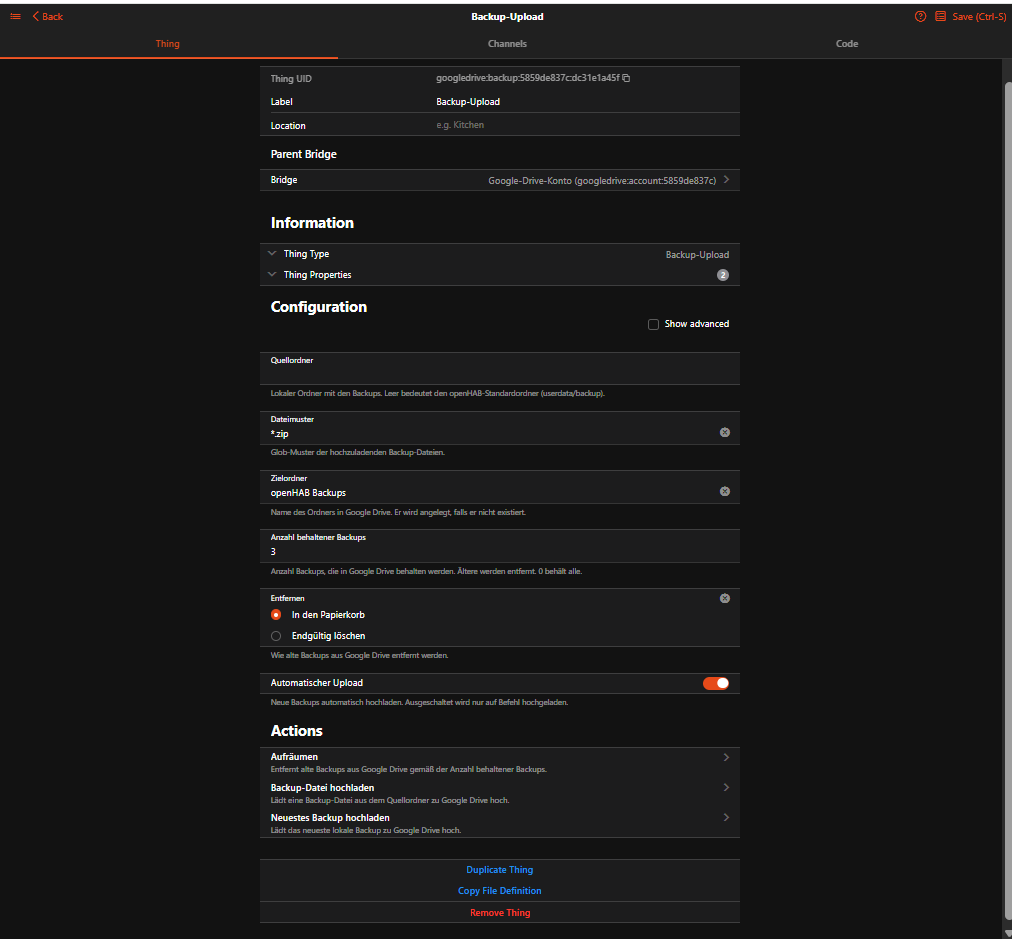
- Retention – keeps the last N backups, older ones are moved to the trash (or deleted)
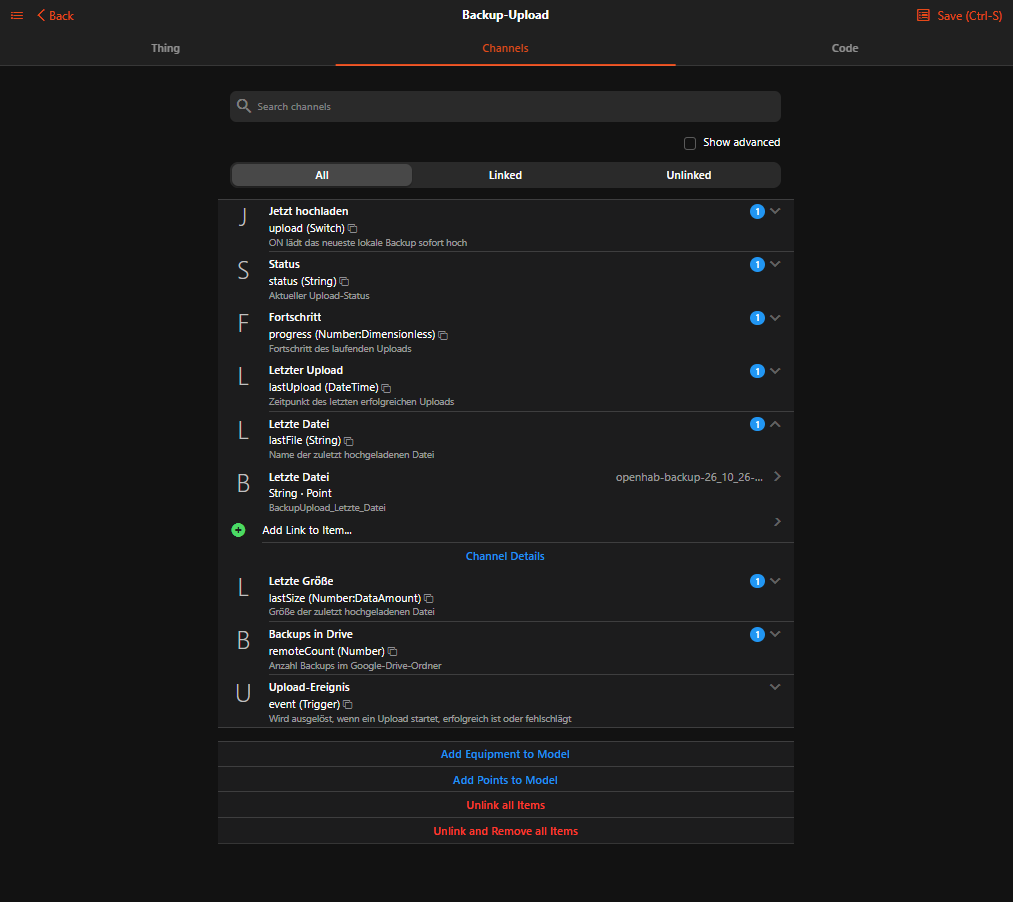
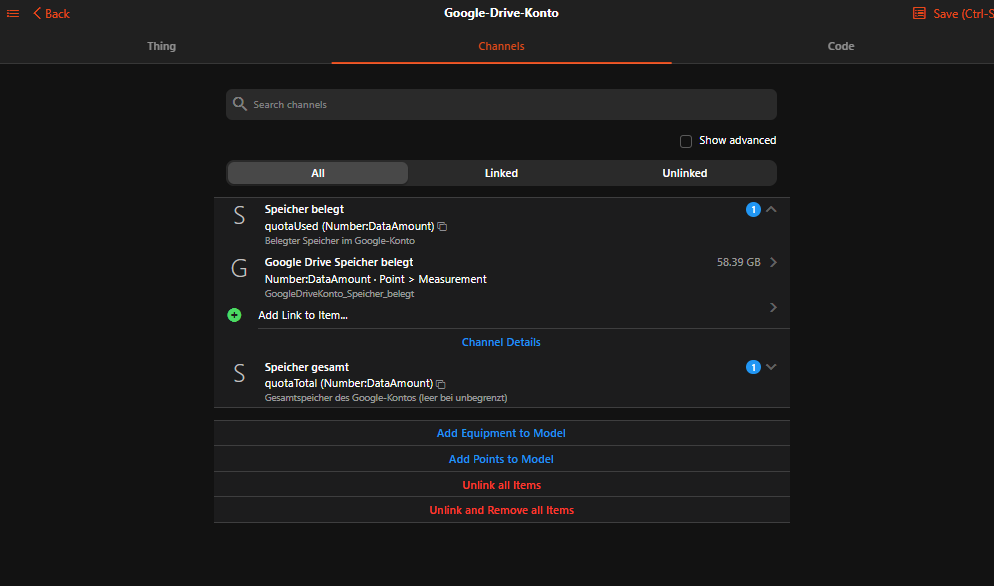
- Channels for status, progress, last upload, last file, backups in Drive, storage quota and upload events
- Rule actions:
uploadLatest(),uploadFile(fileName),cleanup(),logout() - Minimal permission (
drive.file): the binding can only see the files it created itself – nothing else in your Drive - English and German UI texts
Screenshots
| Backup configuration | Backup channels |
|---|---|
 |
 |
Requirements
- openHAB 5.0 or later (does not start on 4.x)
- A free Google account
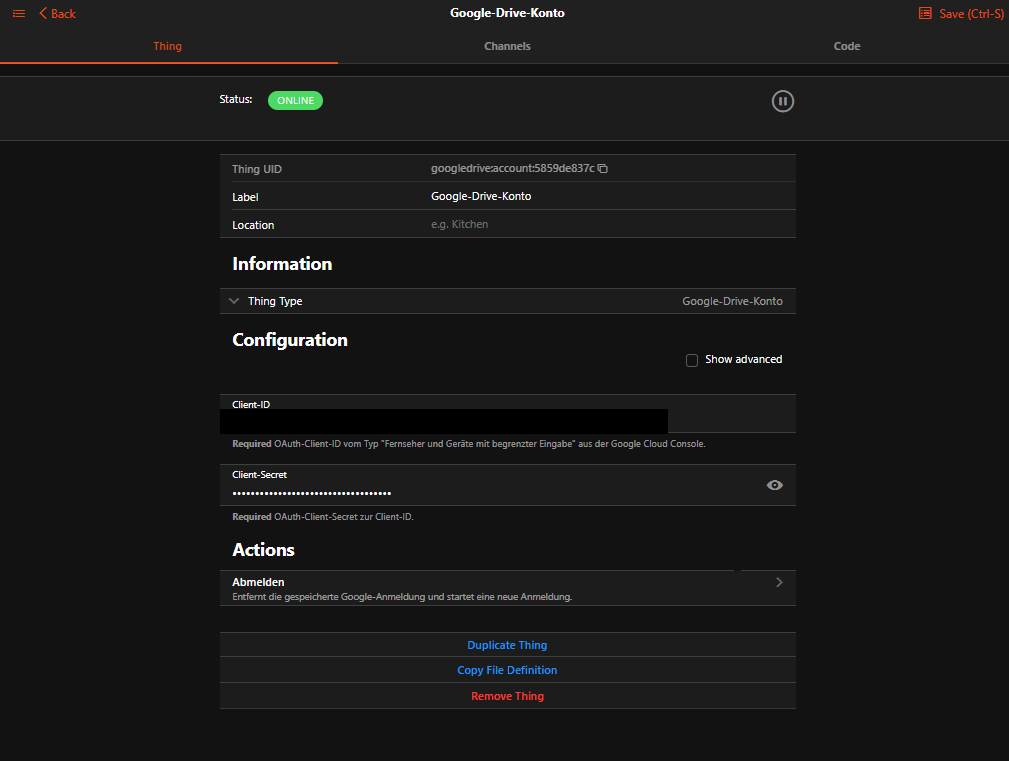
- Your own Google Cloud OAuth client – one-time setup of about 15 minutes, step-by-step guide in the README (also in German)
Installation
- Download the JAR (see Resources below)
- Copy it into the
addonsfolder:- Docker:
/openhab/addons - openHABian / apt / rpm:
/usr/share/openhab/addons
- Docker:
- Set up the Google Cloud project as described in the README
- Add the Google Drive Account bridge, enter client ID and secret, then enter the shown code on Anmelden – Google Konten
- Add the Backup Upload thing – done
Example
Bridge googledrive:account:home "Google Drive" [ clientId="xxx.apps.googleusercontent.com", clientSecret="xxx" ] {
    Thing backup backups "openHAB Backups" [ targetFolder="openHAB Backups", retentionCount=10 ]
}
rule "Weekly openHAB backup"
when
    Time cron "0 0 3 ? * SUN"
then
    // Docker image; for openHABian use: "sudo", "openhab-cli", "backup"
    executeCommandLine(Duration.ofMinutes(10), "/openhab/runtime/bin/backup")
    // The binding uploads the new archive automatically
end
Roadmap
- 1.0 – first stable release in the Marketplace
- 1.2 – photo frame / screensaver showing pictures from shared Google Drive folders
Changelog
0.2.0 – Backup upload, resumable upload, checksum check, retention, rule actions
0.1.0 – Google login with device code, token refresh, storage quota
Resources
- Download: org.openhab.binding.googledrive-0.2.0.jar
- All releases: Releases · pierrecinema/openhab-binding-googledrive · GitHub
- Source code & documentation: GitHub - pierrecinema/openhab-binding-googledrive: openHAB 5 binding: automatically upload openHAB backups to Google Drive (beta) · GitHub
- Issues: Issues · pierrecinema/openhab-binding-googledrive · GitHub
- License: EPL-2.0
