
I got JRuby working, so I’ve tested with a ruby rule. I made a little tweak so that jsr223.ScriptedAction is opened in the script editor, not the “property editor”, and then that rule seems to be displayed fine.
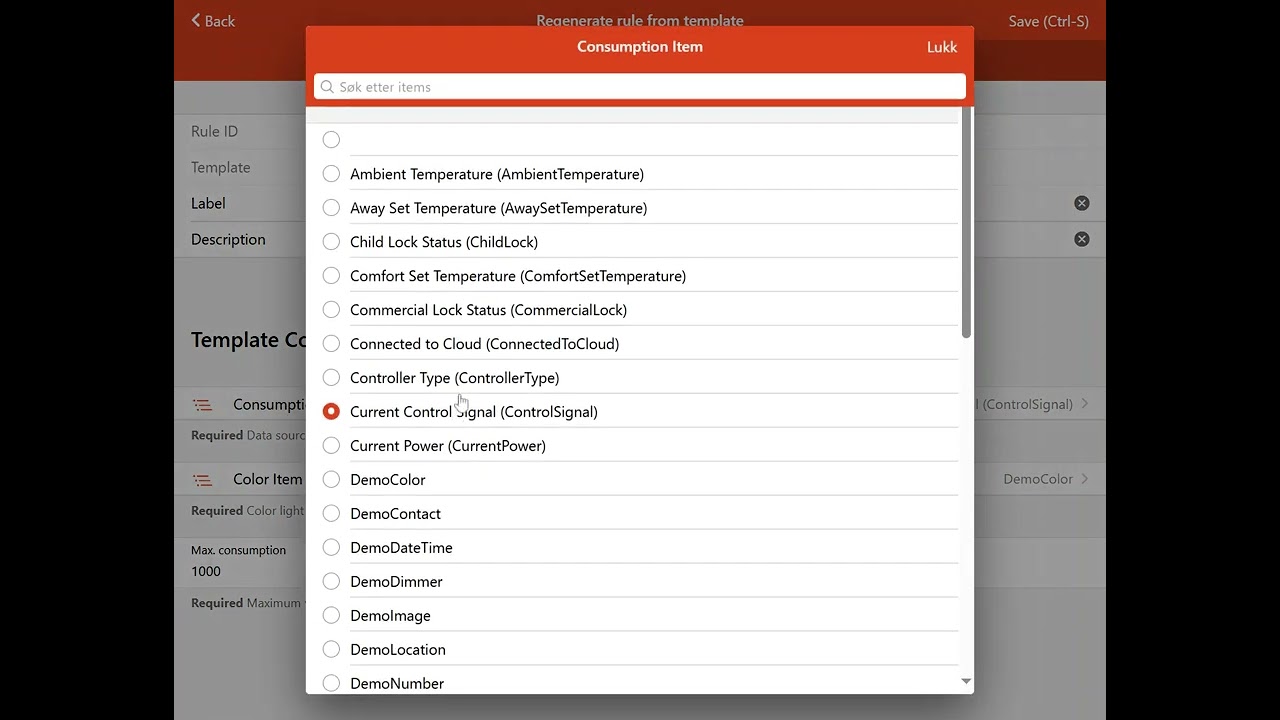
Basic rule regeneration is working. This should work both if the template has been updated or if you just want to modify one or more parameters. I haven’t yet figured out how it can be done for read-only rules (read-only “rule stubs”), and there’s a couple of small things I haven’t made, but otherwise it’s done:
This won’t work well with file-based jruby, I think. It has custom triggers and custom conditions that won’t fit into the UI structure, so it won’t be properly represented by the rule view.
Yes and you’d usually see a "loading model rulebuilder.js in openhab.log I think when it picks up the file.
That might be the case for rule builder too.
Yes, I pretty much concluded that the javascripting add-on didn’t work at all, except that it did try to load the file, but nothing resulted from it. So, I removed it again, and it will have to wait until this is “solved” (if ever): Running `org.openhab.demo.app` with `org.openhab.automation.jsscripting` enabled
But, as I said, I’ve gotten JRuby working, so I can still test “scripting based rules” as long as they’re in Ruby.
I’ll be happy to be pointed to examples so that I can test JRuby rules in the UI. But, I’m not so sure that it will be a problem.
As I see it, there are triggers and conditions that are of the “standard type” that RuleEngine can evaluate and act on. Those should be possible to display. In addition, scripts can make any additional criteria they want, that won’t be displayed. That’s because they’re not conditions seens from RuleEngine, they are merely conditions that makes the “action”/script abort. So, to see them, you will have to read the script.
Is this correct, or am I missing something major?
try this ruby script
rule "Ruby rule" do
  changed Item1, to: ON, for: 3.minutes
  only_if { Item3.on? }
  only_every 1.hour
  run do
    logger.info "test"
  end
end
or this:
rule do
  updated Item1, to: 1..2
  run do
    logger.info "Item1 is between 1 and 2"
  end
end
It the “trigger attachment” described here what you’re thinking of?
Note: The trigger attachment feature is not available for UI rules.
I’m not sure it’s a problem if it doesn’t show in the UI. You can still see it in the “code” tab, and it’s not technically a part of the trigger (if I understand it correctly), it’s just that OH passes an object that allows the ruby code to do additional “evaluation” and potentially “abort” the trigger, or take different actions based on the object. But, fundamentally, the trigger is still just the trigger…?
I would much prefer that file-based ruby scripts just go straight to the script editor like it does now. It’s much quicker to see it that way than having to click-click further.


I know they will show up, but with incomplete information, you’d end up having to click into the script to get the full details anyway. This just adds extra steps.

You’d assume that the person writing the script would be familiar with it.
Yes, as long as you understand the script, it will be one extra click. On the other hand, some information will be available also to those that don’t understand the script.
But, it seems like it is like I assumed: Technically, the trigger is “standard”, but since the object is passed to JRuby, it can do additional evaluation from within the “action” and then reject execution. Still, in the OH log for example, the rule will have been triggered, even if Item1 is outside 1..2.
Yes, but are these scripts only used by people competent at writng them? Is there no copy/paste/“sharing and modifying” going on?
In any case, as I said, it’s easy to do it either way. I’m just not sure what is best on the whole. You’d “lose” the ability to see the rule as it is seen by OH.
While not strictly on topic, I think it’s a bit “sad” when a need arise and a solution is implemented in an add-on for that add-on specifically instead of extending the functionality of core.
The case above for example, where to “tigger value” can be a range instead of a fixed value, shouldn’t be too hard to implement in Core and thus be available to all rules, not just JRuby ones:
You’re welcome to add them to core.
I doubt that all the features in Jruby can be easily converted. For those that are easy to convert, I try to add them to core but more help is always welcomed
It wasn’t criticism or pointing fingers. All I tried to say was that it’s never “desirable” when things that really should be solved “in the foundation” is solved somewhere else to compensate, as it tends to “fracture” efforts and lay the groundwork for potentially different solutions to the same problem that might not work so well together.
I don’t think I should involve myself in anything else right now, I’ll have to try to finish what I’ve started. And, I haven’t really studied this enough to be on “firm ground”, but it seems to me that triggers could benefit from “evolving” to be more flexible. It also seems, as a “first impression”, that “conditions” is an attempt to “patch” shortcomings in the trigger expressions by adding a “but not if”. I think that it would probably be better if all this could be expressed in the trigger itself.
I completely and whole heartedly disagree. While conditions can be very simple they are not always that way. And often the condition has nothing to do with the what triggered the rule in the first place.
How can you encapsulate “but only between 8 am and 10 pm on weekdays that are not also a holiday” on the trigger? How would you capture “but only if the parent Equipment Item has a member with ‘Status’ in the name and that status Item isn’t already in the ON/OFF state needed” on the trigger?
Here is just one of my conditions (the second example above):
var equipment = actions.Semantics.getEquipment(items[alertItem]);
var statusItem = items[equipment.name+'_Status'];
if(equipment === null || statusItem === null) {
  console.warn(alertItem + ' does not belong to an equipment or equipment doesn\'t have a Status Item!');
  false;
}
else {
  console.debug('Sensor status reporting called for ' + alertItem + ', equipment ' + equipment.label + ', is alerting ' + isAlerting + ', and is initial alert ' + isInitialAlert
               + ', current equipment state is ' + statusItem.state);
  // Sensor is offline                         Sensor back online
  (isAlerting && statusItem.state != 'OFF') || (!isAlerting && statusItem.state != 'ON');
}
alertItem, isAlerting, and isInitialAlert is passed to this rule by the calling rule. None of the Items used in condition are in any way related to the triggers of the rule (in this case there are no triggers).
Conditions are separate in the UI because they cover a much larger set of uses beyond just checking the ranges of the event that triggered the rule.
As I said, I haven’t looked sufficiently into the details to have the full picture. So, it might very well be that I’m missing things.
Also, I never meant to say that there can be no “logic” in the action itself. That’s half the point of having “powerful scripting” available, that you can make sophisticated logic. But, to me, a trigger is what decides if the rule should run or not. A rule should not run unneccesarily just to be aborted by the “internal logic” if it can be avoided, so the trigger should “cover as many cases as is reasonably possible”.
It all depends of course on what information is available where, but assuming that the information is available, I can’t quite see why triggers couldn’t be “advanced expressions” with and, or and not, grouping ( ), lazy evaluation etc. All the things “we’re used to” in an expression. It should be possible to “nest” triggering conditions so that you can in principle build how many “levels” you’d want. Let’s, say you have an “AND trigger condition”, that can take 2 to n “child trigger conditions”, you have an “OR trigger” and a “NOT trigger”. With these building blocks alone, you should get a long way.
But this is getting quite hypothetical, so I’m not sure if it’s worth-while to discuss. Maybe “conditions” play a different and more generic role than I’m aware of, but as I see it, a trigger itself consists of any number of “conditions” that must be true for the trigger to trigger.
Then you’d end up with a mini scripting language / parser. You either custom implement this in a complicated way, hard to maintain, bug-prone, or you end up using an existing scripting language to do it. Well, this is already done by openhab. It lets you write conditions using any of the automation add-on (ruby, js, dsl, grovy, etc). Then we’re back to square one.
Also, having a separate condition implemented in a scripting language is actually more resource intensive, because for each condition, you’d have an instance of scripting engine.
Whereas if you just put all your logic in the main action script, you only have one instance of the scripting engine.