

neohab is a dashboard UI born out of my wants, needs, and frustrations after using openHAB and its various UIs for more than a decade. It’s been my daily driver and has been thoroughly end to end tested probably more than a few hundred times now by daily e2e suites and a pretty robust CI pipeline - bugs aren’t impossible of course, but I need your help to try and find them 
Phones, tablets and wall panels are first class citizens! Every dashboard gets an automatically generated phone layout when the screen gets small enough, widgets and content is never clipped. optional tablet layouts you arrange specifically, and text, icons and tiles scale to whatever screen it lands on. Too many features and fixed annoyances from other panels to list, but I will work on that.
Uses openHAB’s standard REST and SSE APIs and nothing else: no server-side code of its own, no account, no cloud, no content fetched from the web - completely self contained jar with more than 10k icons and multiple themes. Feature complete including multi language support. Obvious but it bares stating: this is a personal project, not an official openHAB UI. This is not aimed to replace MainUI, habpabnel, or anyone else’s favorite UI - just publishing my work so if others like it, they can use it.
Just install it and go to the /neohab URL on your openHAB install - it’ll pull in your habpanel dashboards and build them in neohab automatically, or you can start from scratch. Tell me what you manage to break, don’t like, or want to see added/changed. Very open to feedback. One thing I will say is I’m not an artist - I have tried to include pretty varied themes, but I am sure some of them are not to everyone’s liking - this is one area I’m aiming to improve, and the theming system is documented and open for anyone who wants to help.
TLDR: examples of all the widgets, screenshots, the download, etcetera are all on the github repo: GitHub - Fohdeesha/neohab: A modern dashboard UI add-on for openHAB · GitHub
Screenshots
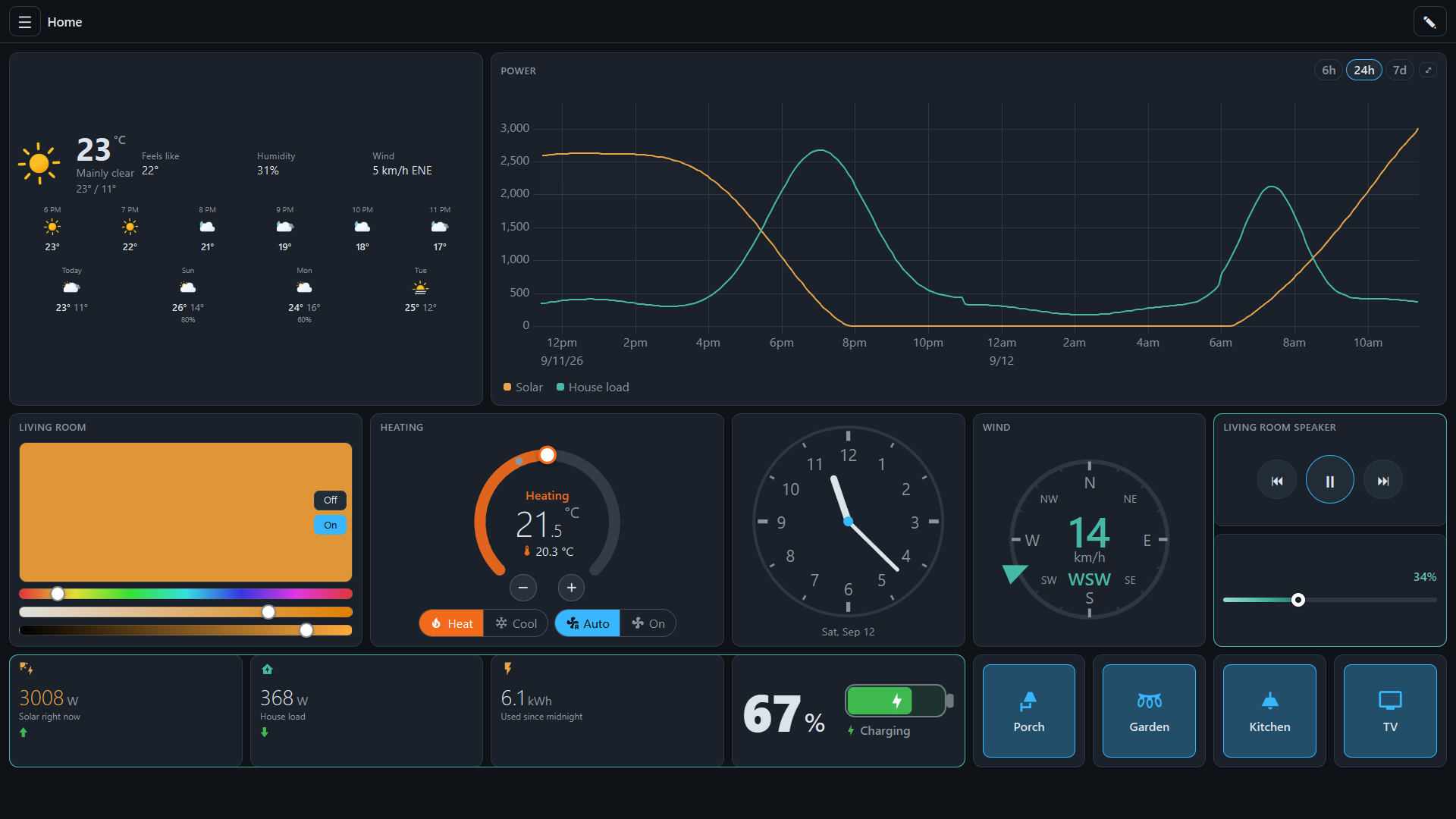
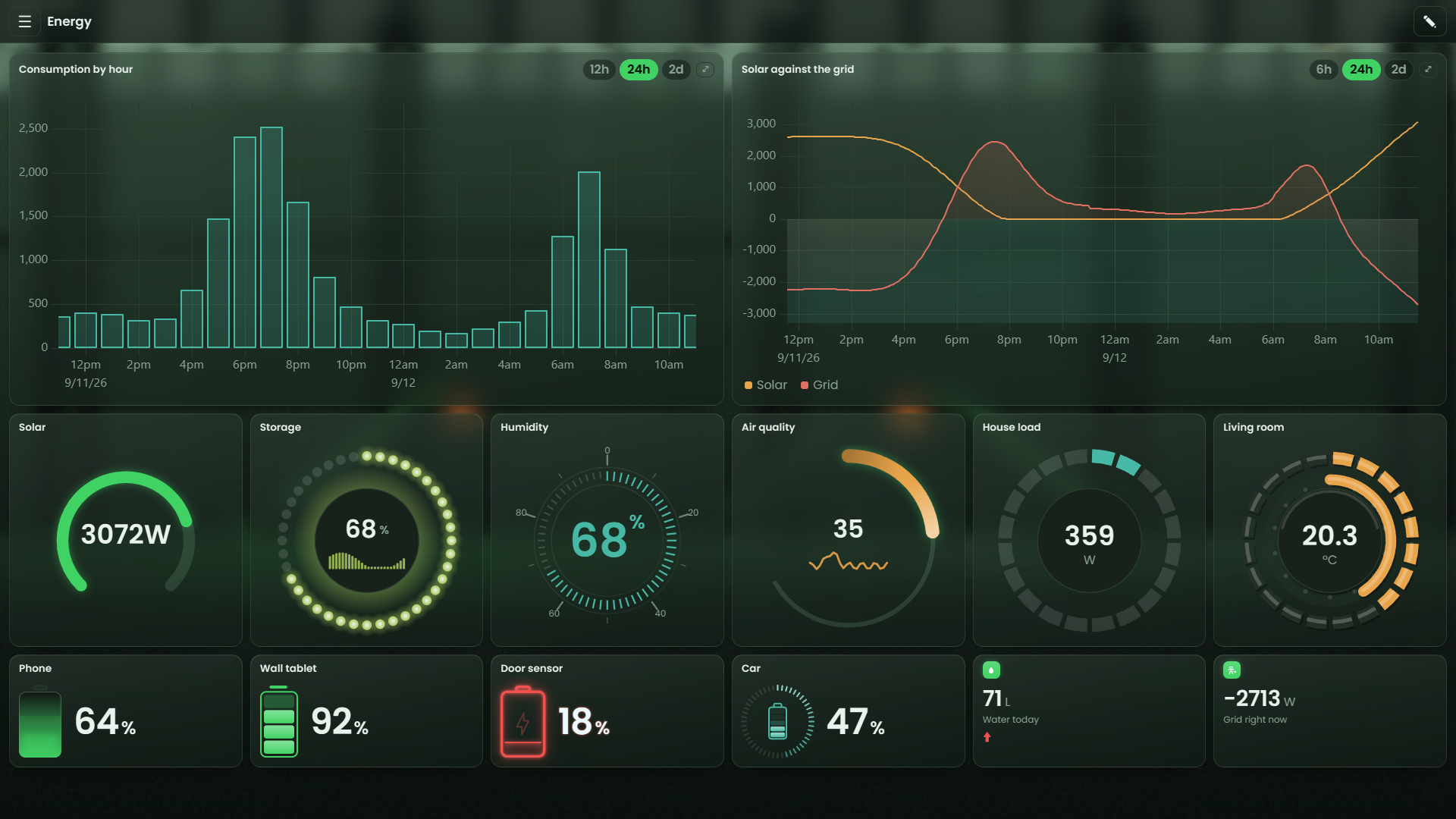
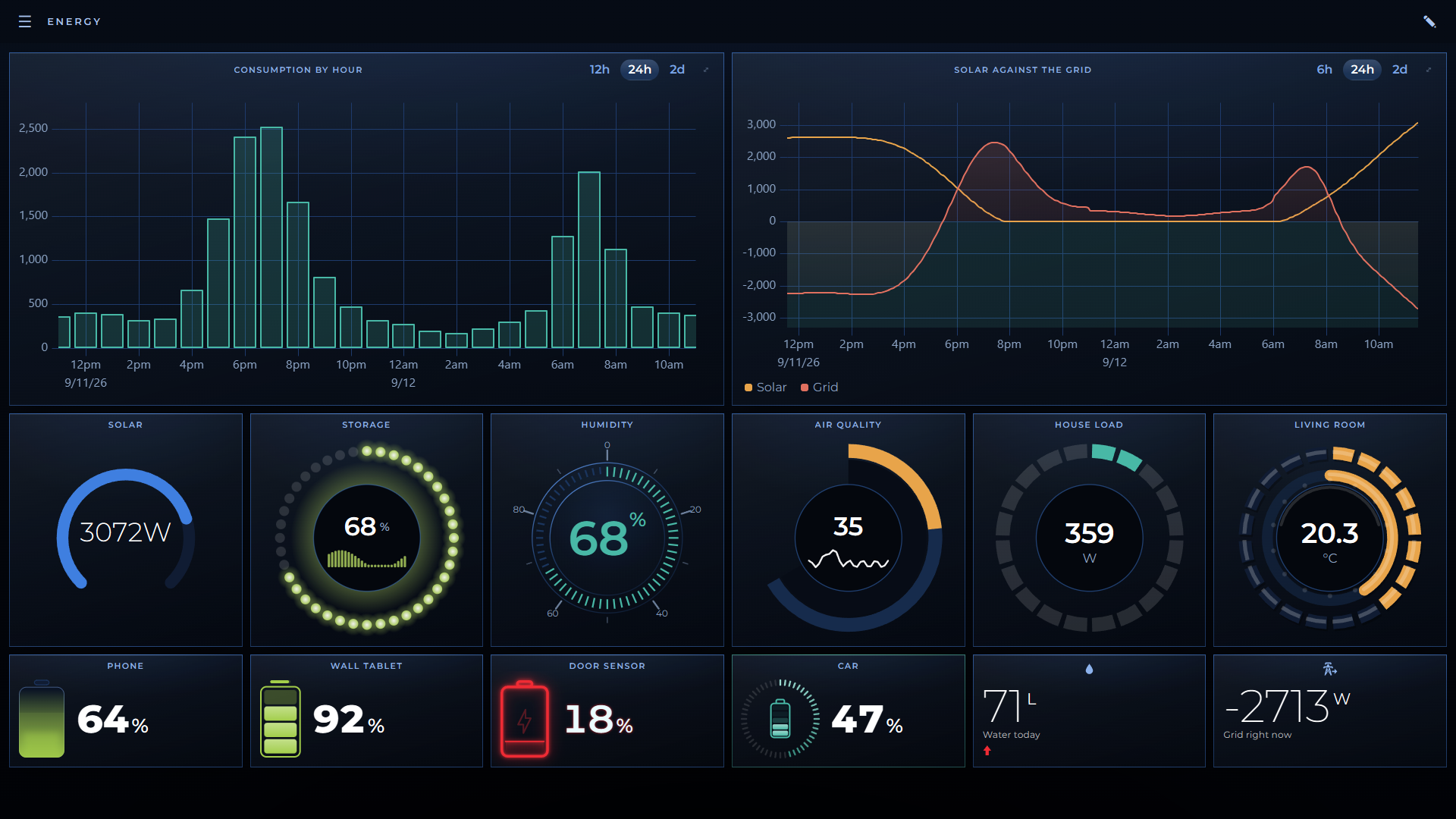
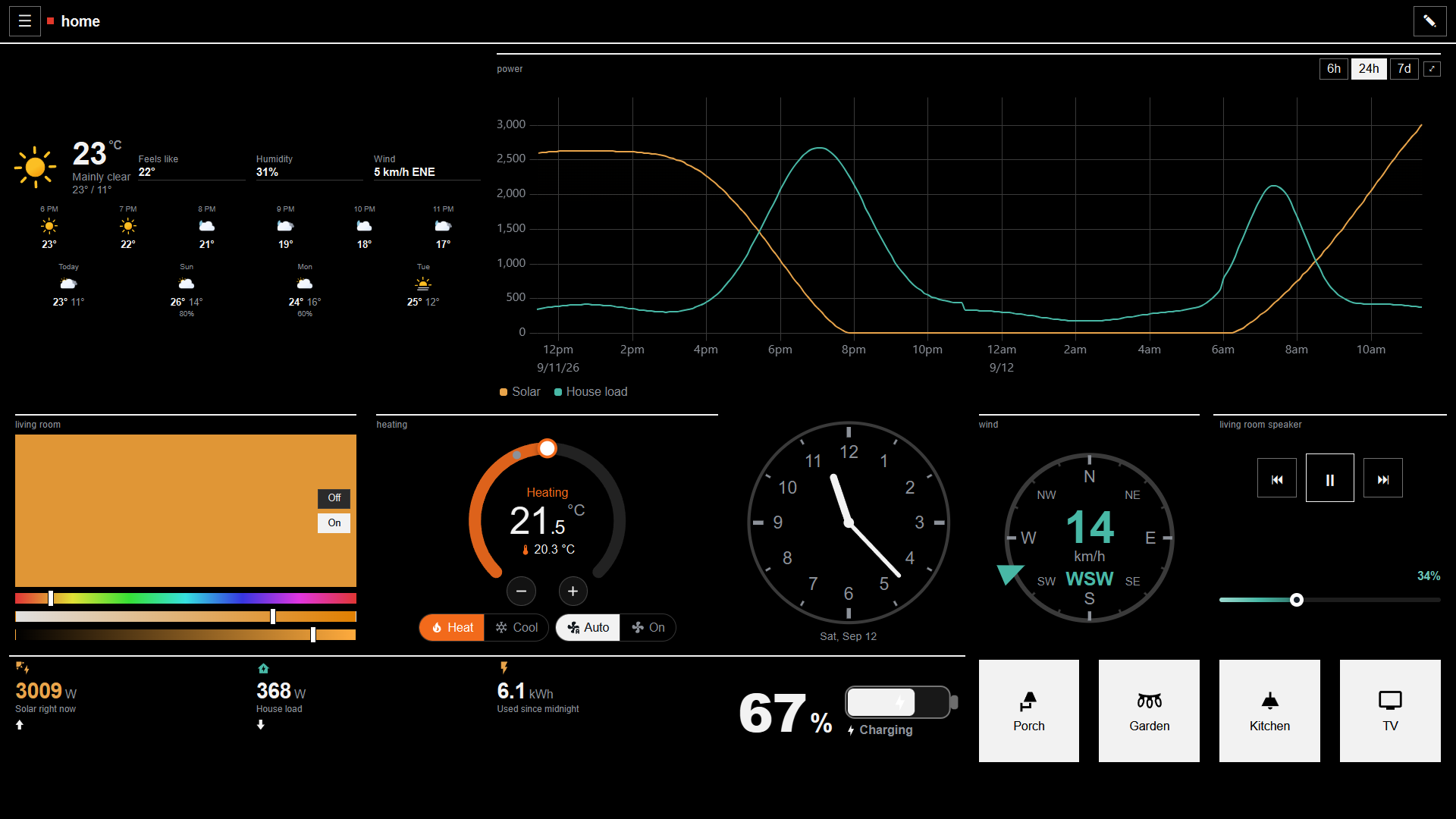
Widgets
The usual plus some extras:
Button, Slider, Dial, Colour, Selection, Stepper, Thermostat, Rollershutter, Player, Label, Value, Battery, Compass, Clock, Weather, Floor plan, Chart, Timeline, Camera, Image, Frame, Log and Template. Most come in several looks, so a dial can be a plain knob or an LED ring and a value can be a sparkline, a bar, etc.
A few worth calling out:
-
Floor plan puts your lights on your own plan, each glowing in the colour and brightness it’s actually at. Tap one to control it. Create and save whole house lighting presets directly from the panel
-
Chart draws history from your persistence service: multiple items, two axes, thresholds, a period picker, new values as they arrive. groups by hour, weekday or month, or draws a heatmap
-
Camera natively handles go2rtc, Frigate or a plain URL feed over WebRTC, MSE, HLS, MJPEG or snapshots, working down that preferred order list until one connects, and drops the stream when the tile is off screen to avoid burning CPU in an idle browser tab
-
Weather can pull Open-Meteo weather data with no account or API key needed, or your own items if a binding already provides that data. neohab will not contact Open-Meteo unless you distinctly enable it
-
Log shows openhab.log and the event bus live, filtered by level, logger or text. Needs openHAB 4.1 or newer
-
Template takes your own HTML with
{{ }}expressions and the same helpers HABPanel had, so its custom widgets come across. For real code there’s an opt-in sandboxed JavaScript widget
Every widget on your dash can be right clicked or long-pressed for a unique pop up larger view with more data and options - current value, when it last changed, recent history and that widget’s own full-size controls.
Sliders, colour pickers and dials command the device as you drag them, a few times a second, so you can see the hue/sat/etc change as you slide through the range, not just when you let go. Can be disabled if you have devices that don’t like ~5hz rapid commands
Editing
Full copy/paste ctrl+c ctrl+v support, undo / ctrl+z, select multiple widgets by clicking and dragging around them, move and resize multiple widgets at once, copy and paste one or more widgets across different dashboards. What you see while editing is exactly what the finished dash will look like when you save.
You can have neohab generate dashboards for you - If you have a semantic model, it’ll use that, otherwise it’ll try from naming convention or groups. It lists everything it picks before creating the dash.
Full version/change tracking - a restore point is taken before each change you make when editing neohab dashes, the last 25 are kept, and you can see what changed field by field and roll back to any of them. The whole configuration exports and imports as one JSON file - can also export a single dashboard, widget or theme on its own.
Themes
Comes with sixteen, including ported themes from habpanel, so your imported habpanel dashes look right. I’m not an artist, so some themes may not be the most artistically sound, but the theming system should be pretty flexible, and is documented. The editor previews as you type, explains every design token, checks whether your colours can actually be read, validates a custom stylesheet, etc. Themes are global (set a theme and and device pulling it up uses it), but you can also pin individual devices to their own theme.
If you ever break it with a bad theme and can’t see anything or navigate, ?theme=none in the address loads the default one for that page load.
Wall panels
Installable as an app from a mobile browser with an offline shell, able to keep the screen awake, with a per-device pinned dashboard, idle blanking, kiosk mode, etc.A dashboard-control item lets your rules / openhab items switch what every panel shows.
Browsers that are not signed in to openhab get a read-only panel: controls work, configuration doesn’t, as you’d expect
Coming from HABPanel
Settings > Migrate from HABPanel imports your dashboards, either straight from the openHAB install or from a habpanel-config.json export you can upload. Widgets, layout, icons and dashboards are mapped, all seven HABPanel themes have a port (the originals are by Yannick Schaus and the openHAB contributors, thank you!), and custom AngularJS templates import as neohab template widgets.
You get a report of what came over cleanly, what was approximated and what could be broken. Your HABPanel config is only read and never touched.
additional_stylesheet_url is the one thing that can’t come across, because its selectors are HABPanel’s. The theming guide has a table to translate it
Requirements
-
openHAB 4.1 or newer, including 5.x: everything works
-
openHAB 3.1 to 4.0: works, minus a few things. 4.0 loses the log widget (openHAB added the log feed in 4.1). 3.x also loses floor plan presets for signed-out viewers and your own semantic tags in the dashboard generator
-
openHAB 3.0 and older cant run it, the add-on interface it uses didn’t exist yet
-
HTTPS for two things only: keeping a screen awake, and the microphone for voice input. Browsers don’t typically allow either over HTTP but YMMV.
Behind a reverse proxy, set proxy_buffering off and a long proxy_read_timeout, or live values arrive in bursts or not at all. The item state stream is server-sent events
Install
Install it from the add-on store in Main UI (assuming I manage to get it there! never published something for openhab before), or download the jar below and drop it in openHAB’s addons/ folder. It’s picked up in a few seconds with no restart, and openhab.log should sayStarted neohab at /neohab.
Then just open http://your-server:8080/neohab/ and sign in as an openHAB admin. There’s a short 5 min guide linked from the welcome screen, but everything is pretty self explanatory
Upgrading by hand: delete the old jar, wait for it to stop, then copy the new one in. Don’t leave the old jar there alongside the new one, openhab does not like that very much
Removing it: delete the jar. Dashboards stay in openHAB’s JSON database under the three neohab:* namespaces, so putting the jar back brings back everything you had configured
Languages
English, German, Spanish, French, Italian, Dutch and Polish, automatically detected from your browser, and a per-device override available. I don’t speak any of these except english (and even that’s debatable) so I’m open to feedback here regarding translations / internationalization
The Goods
Download: https://github.com/Fohdeesha/neohab/releases/download/v1.40.0/org.openhab.ui.neohab-1.40.0.jar
- Source and issues: GitHub - Fohdeesha/neohab: A modern dashboard UI add-on for openHAB · GitHub
- Getting started: neohab/docs/getting-started.md at main · Fohdeesha/neohab · GitHub
- Making a theme: neohab/docs/theming.md at main · Fohdeesha/neohab · GitHub
- License: EPL-2.0. Everything bundled is listed with its license in NOTICE, inside the jar
I still have many things I want to improve or add, and I’m very open to suggestions & feedback. Please try and break it! Thanks for reading!
 Given Neohab is my one and only daily driver UI for my openhab installation, it’s going to get quite a lot of attention from me for the foreseeable future.