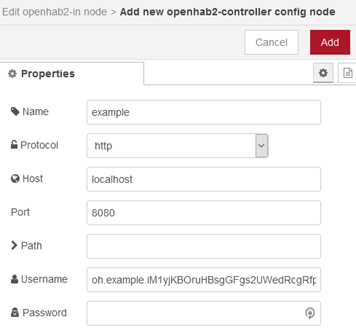
How to generate an API token
Sign in to OpenHAB with your administrator username and password by clicking on the bottom left icon in your dashboard.

After signing in, click again on the profile button to access your profile page.
Click on Create new API token.

Use your admin username and password, fill in the token name (e.g. choose a name to remember the service you created the token for) and a Token Scope (optional)

Now the token is created. Please copy the full token now.
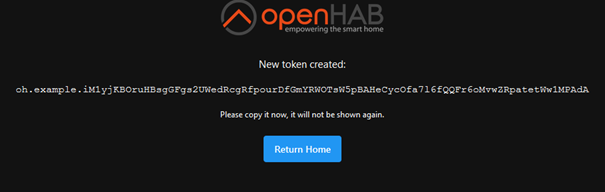
This token is in the used service your username, leave the password empty.
As example, below in NodeRed configuration the generated token is used as username.