openHAB 5.2 Milestone discussion

Don’t forget, the issue emerges only on two circumstances:

  • Restart openHAB (maybe you have to clean the cache, too)
  • Install another marketplace Addon

So none of the users with a “just workin’” openHAB will see this issue at all.
Only those who do changes which include a reload of the addons may be aware of the problem.

Without setting up all the items, these seem to display for me on my system running 5.2. The only suggestion I have is to narrow down the issue by finding out what component(s) are causing the popup to not display.

Thanks for that. Turns out that all I had to do was SAVE the Overview page - then all displayed again. Reverted and tried again with the same result.
Never seen this before and only affects some of the oh-cells

EDIT: Actaully this only worked when in RUN mode while editing the Overview Page. The actual Overview page still has teh issue. Will keep digging

It seesm that the following two conditions (one in each) caused the issue:

visible: =(vars.visibleSunSynkPop) == true

and

visible: =(vars.visibleMonthlyPop)==true

EDIT 2:

I have created a test wdget that doesnot require any items etc to demonstrate the issue.

component: oh-cell
config:
  title: ="Test Visibility " + vars.visibleMonthlyPop
slots:
  background:
    - component: f7-block
      config:
        bgColor: none
        style:
          bottom: 5px
          left: 0px
          margin: 0
          padding: 0
          position: absolute
          width: 100%
      slots:
        default:
          - component: oh-button
            config:
              action: variable
              actionVariable: visibleMonthlyPop
              actionVariableValue: true
              popupOpen: .month-pop-test
              style:
                height: 100%
                width: 100%
              text: OPEN
    - component: f7-popup
      config:
        class: month-pop-test
        style:
          --f7-popup-tablet-height: 720px
          --f7-popup-tablet-width: 360px
          background-color: rgb(220,220,220)
          border-radius: 30px
          height: 720px
          text-overflow: ellipsis
          width: 360px
      slots:
        default:
          - component: f7-block
            config:
              style:
                --f7-popup-tablet-height: 720px
                --f7-popup-tablet-width: 360px
                background: rgb(220,220,220)
                border-radius: 20px
                height: 720px
                margin: 0
                padding: 0
                position: absolute
                top: 0px
                width: 360px
            slots:
              default:
                - component: oh-button
                  config:
                    action: variable
                    actionVariable: visibleMonthlyPop
                    actionVariableValue: false
                    clearVariable:
                      - visibleMonthlyPop
                    large: true
                    popupClose: .modal-in
                    style:
                      background: rgb(220,220,220)
                      color: white
                      display: flex
                      height: 30px
                      left: 5px
                      position: absolute
                      top: 5px
                      width: 30px
                      z-index: 999
                  slots:
                    default:
                      - component: f7-icon
                        config:
                          color: white
                          f7: clear_fill
                          style:
                            color: black
                            font-size: 20px
                            margin: auto
                - component: Label
                  config:
                    style:
                      top: 20px
                      position: absolute
                      font-weight: 500
                      padding-left: 35px
                      width: 100%
                    text: ="Status " + vars.visibleMonthlyPop
                - component: Label
                  config:
                    style:
                      position: absolute
                      top: 50px
                      font-weight: 500
                      padding-left: 35px
                      width: 100%
                    text: ="Status " + vars.visibleMonthlyPop

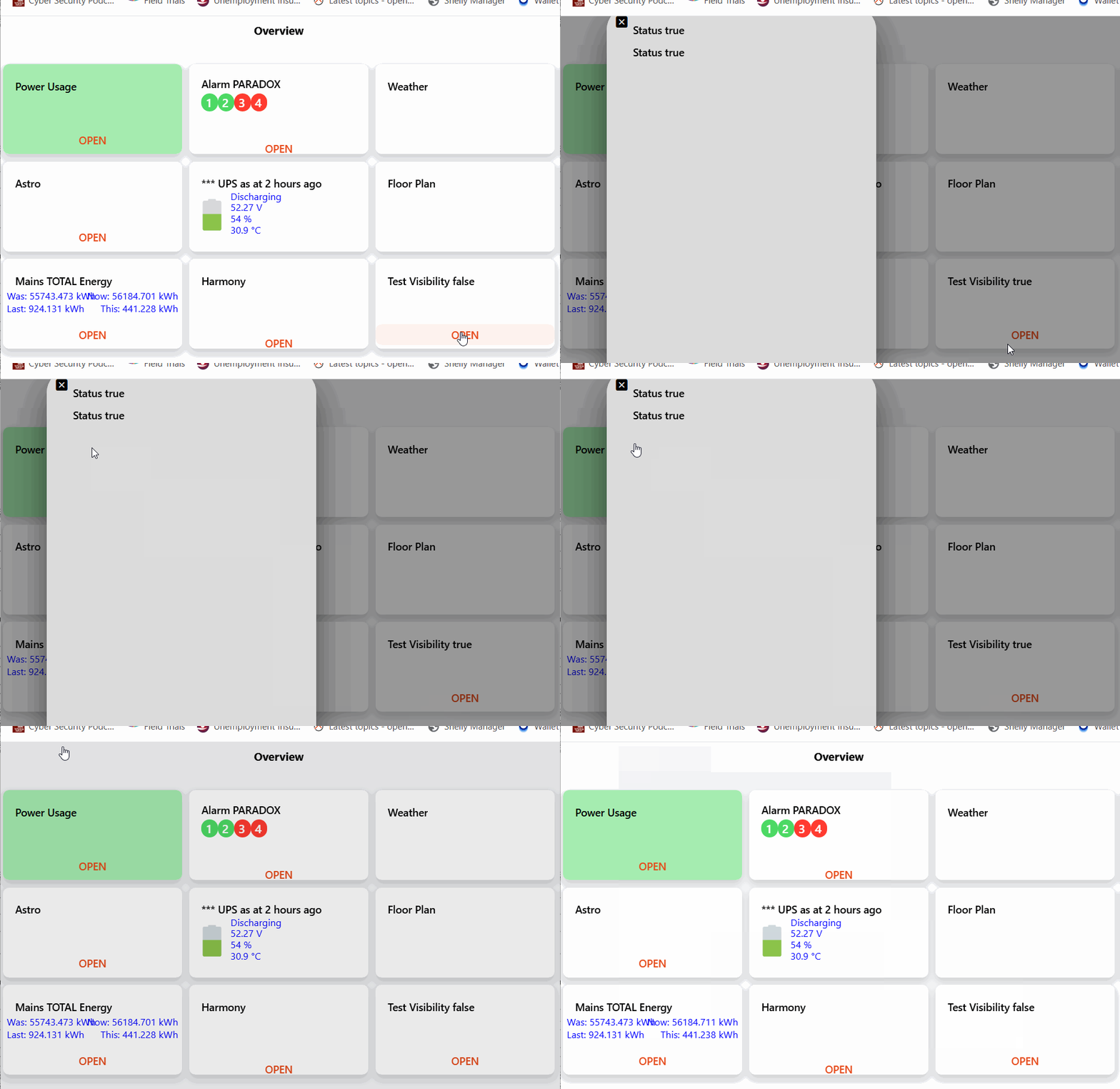
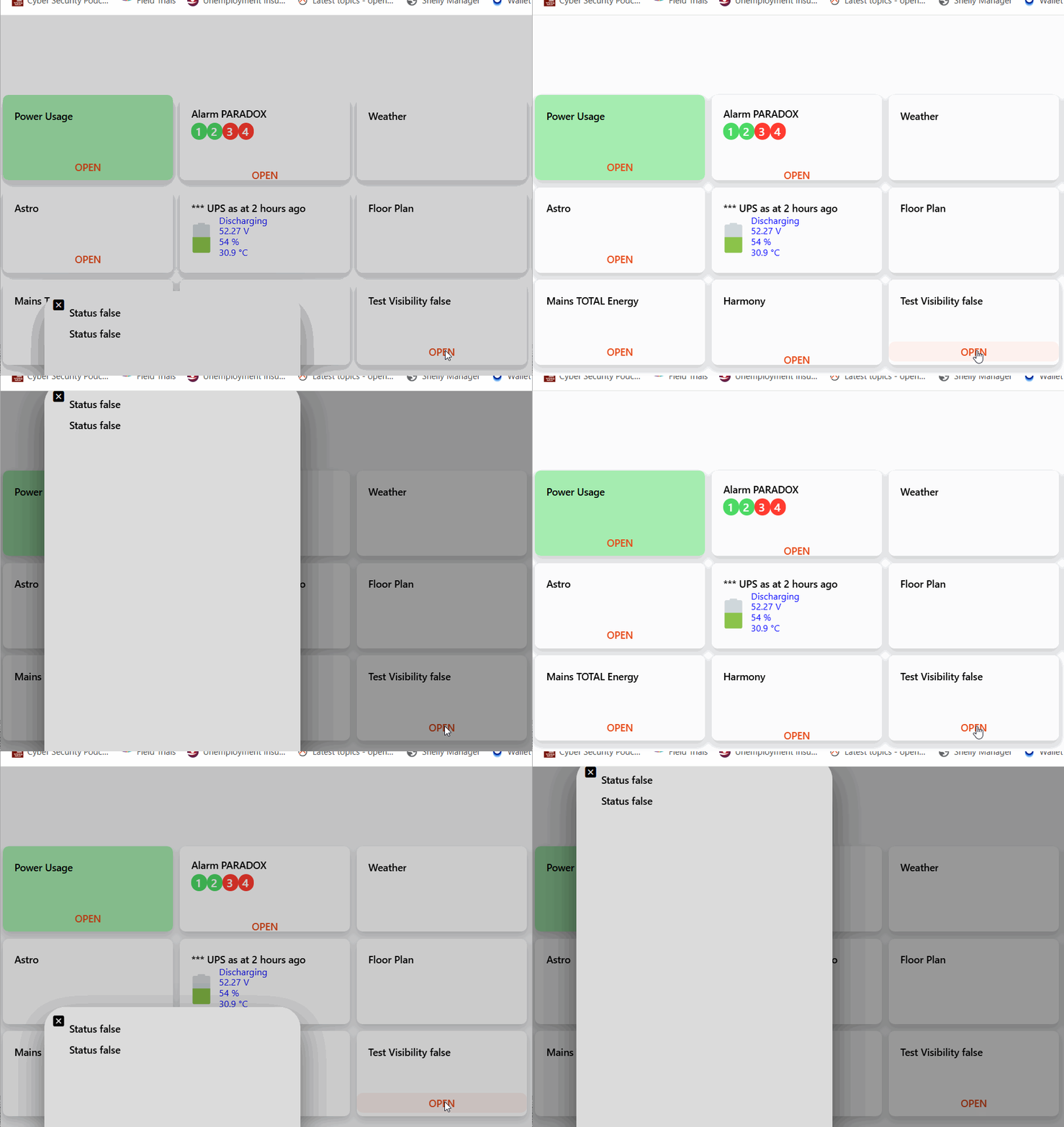
When I test is “Run Mode” I get the expected (variable gets true and false):
Rune Mode

However on thw Overview page the variable is never set:

Overview Page

Not sure if this is a “regression” of a previous fix by @florian-h05 quiet a while back - [MainUI] Overview Page prevents variables from working correctly in widgets etc · Issue #2046 · openhab/openhab-webui · GitHub

I have logged an issue Variables seem to no longer work on OVERVIEW Page (Worked prior to OH 5.2.0.M1 · Issue #3939 · openhab/openhab-webui · GitHub

Thank you.

Hallo All,

I would like to report a Matter/Thread problem, occurring with the change from Openhab 5.2 M1 to M2.

After updating to M2 the Matter Controller (Node 0) still indicates the status “Online“, but any previously working Matter-over-Thread devices have the status “unknown” and do not change to “Online”. Accordingly they do not work any more. The boot sequence does not show any relevant warnings or errors, also the running Log Viewer. Setting the Matter Controller to “Disable” and enabling again, the Status keeps to be “Initializing” and only starts again after a reboot. Changing back to M1 or the Main Version 5.1 all these devices are available again and work (incl. Controller setting to “Disable” and enabling again successfully).

All Openhab fabrics of the devices are provided from Homeassisstent, where the original fabrics have been stored. I see the matter devices are working while not available in Openhab in M2. A SLZB-MR4U is used as Open Thread Border Router, interdependently from HomeAssisstant. Openhab is installed on a Raspberry Pi 4 with bookworm OS.

Maybe somebody has the same problems? Or an idea how to get the future Matter Bindings get working again?

Regards,

MMi

Wait for few minutes, it takes time to have all Matter over Thread ONLINE, maybe between 5 and 10 minutes.

I’m sure I waited more than 15min, but was a bit eager to check out the new topology map and firmware update. No new firmware for any of my 6 Ikea devices.

Do we need to check each node, or will there be a more centralized notification somewhere?


Valid point, but I have waited much more than 10 min several times.

In addition, I can see after rebooting, when the Thread devices are available in Homeassisstant (ca. 5 min as you mentioned). With M1-Openhab this is the same time, when they also are online here. With M2 they never are online as already described.

I guess, waiting not long enough is not the problem.

Regards, MMi

I am in the most recent snapshot (not the last milestone), my 5 Thread devices went to ONLINE after 12 minutes. Except one, they are all battery devices.

The Blockly “return” introduced with OH 5.1 provides in openHAB 5.2.0.M2
" HANDLER_INITIALIZING_ERROR
Failed to compile condition: 5(SyntaxError: :4:0 Invalid return statement return true ^ in at line number 4 at column number 1)"

You need to explicitly enable the wrapper for conditions.

If Blocky generates code that expects the wrapper to be enabled, why doesn’t it also generate the directive?

Thanks. I think it was on before the update, but I’m not sure.
Is “use wrapper;” not enough?

E: Backup installed - was disabled

Incidentally found this:


:slight_smile:
We can make our own notifier … Nice.

Have an issue with the oh-stepper on M2. I am using it as part of a larger widget, but the issue can be reproduced in the item config. This was not present on M1.

ohstepper

Item:

version: 1
items:
  MainFloorHVACSetTemp:
    type: Number
    dimension: Temperature
    label: Main Floor HVAC Set Temp
    icon: temperature
    unit: °F
    groups:
      - eMainFloorHVAC
    tags:
      - Setpoint
      - Temperature
    metadata:
      stateDescription:
        value: ""
        config:
          min: "60"
          max: "80"
          step: "1"
          pattern: '%.0f %unit%'

Exiting the item and going back in sets the stepper pattern to a whole number again (in the gif above it is 80→79.999998→78.8

I tried this in the widget but did not correct:

config:
  decimalPoint: 0

It does, but unfortunately it does it incorrectly.

I have also tried the M2 snapshot version, with exactly the same result. None of my 21 devices (9 routers, 12 end devices) become online on Openhab 5.2, even after more than 1h, while in HomeAssisstant they are available within 5 min.

Changing back to M1 Milestone, they are available again on time.

I don’t know, if it is a problem caused by my setup or a change in the matter binding, where I see some changes in the change log. In the second case it would be helpful to find other users with the same problem. Anybody?

Regards, MMi

Can someone test this in 5.2.0.M2 to see if it still works? For me not (anymore) and I think this is new in M2:

I can confirm that this doesn’t work in M2 in Analyzer, but when you save that analyzer page to a static page then there it works as expected.