
I was looking for the change log for 5.0.1, but on GH I see 4.3.7 as the latest version. Why is that?
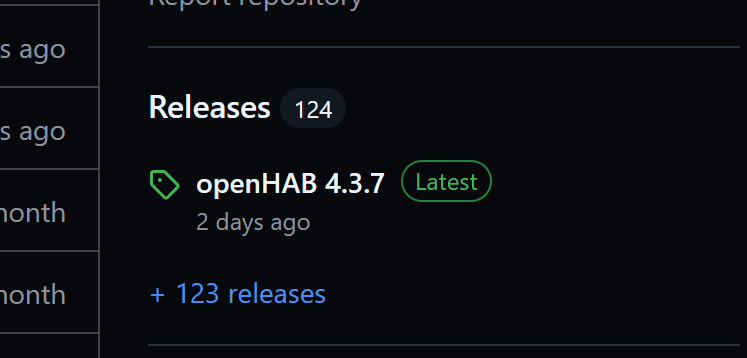
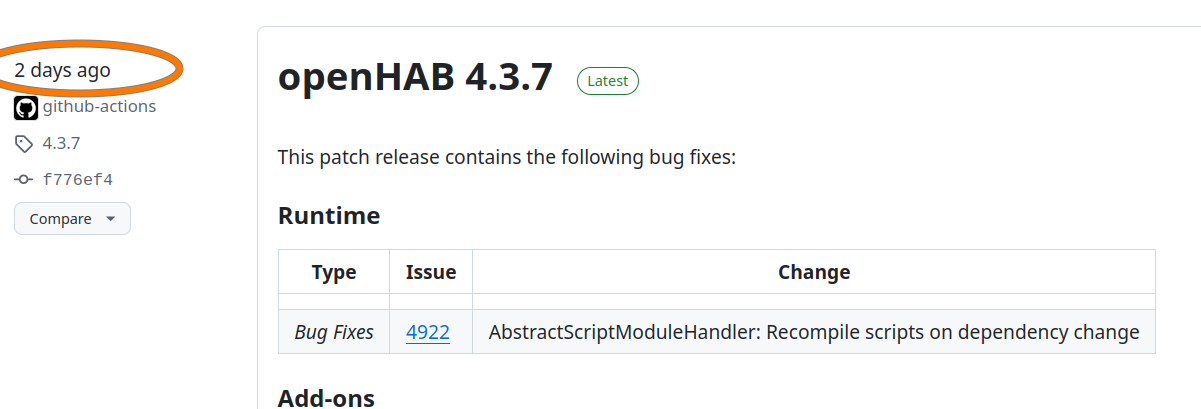
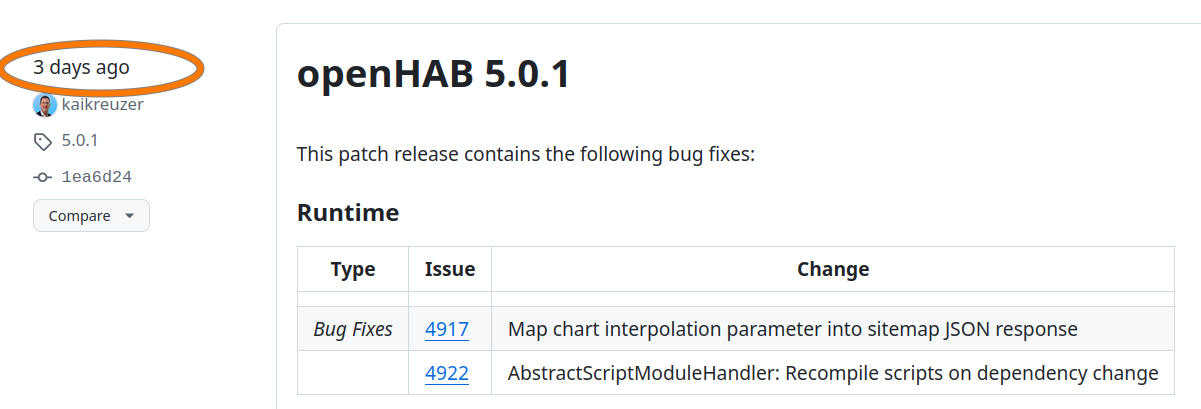
Because GitHub shows the most recently released version there regardless of the version number. Some bug fixes were back ported to OH 4.3 to create version 4.3.7 but this was done after OH 5.0.1 was compiled and published as a release. If you click on that “+ 123 releases” you’ll see 5.0.1 as the release right before.
In short, GitHub is only going to show the most recently compiled release regardless of version number. As long as OH continues to support previous versions with bug fixes you cannot rely on that one entry shown on the main page and need to click through to the full list of releases to be guaranteed to see the most recent one.
Thank you for explanation. Have a nice weekend.
@Kai Can you mark 5.0.1 as the latest release?
It seems, someone else was quicker than me…
I did that 
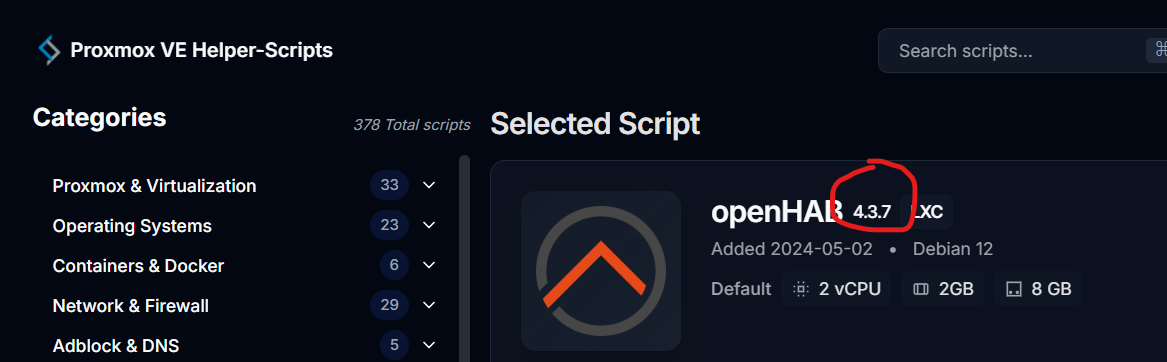
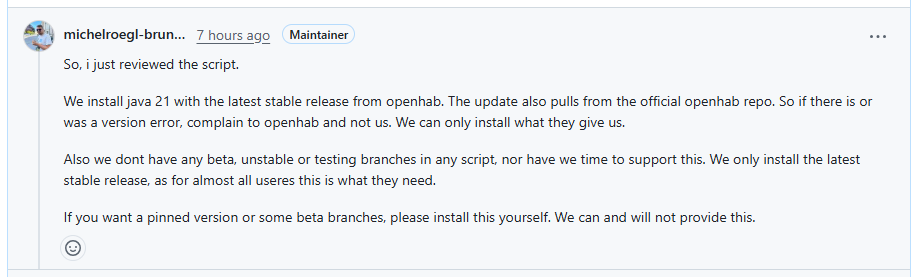
I think this person didn’t understand what you are asking about. We have no control over what’s shown on that page. That page has nothing to do with the openHAB project. I looked at the script and indeed it will install the latest openHAB 5.0.1. What ever is generating that web page to pull the version number is wrong, but we don’t generate that web page.
tl;dr: If you run the script, you’ll get 5.0.1. The fact that it shows 4.3.7 on that page (which I don’t even know how to get to) isn’t something we have control over. For a brief time the latest release on GitHub did point to 4.3.7 because that patch was released after 5.0.1, but that has since been corrected.
That must be it - that they simply mirror whatever GitHub reported as “latest” at some point in time when they gathered the information, and that there’s no correlation with what’s actually installed. Lazy on their part…
Now the version on Proxmox Helper-Scripts is 5.1.0.M1.

What is your plan? Will the next version be 5.1.0.M2 or 5.0.2 or 4.3.8?
Is it to post any version of a specific single user or is it always the latest stable version for the community?
The current behaviour to practice it is confusing for me. It would be nice to be able to see the plan of the openhab community - not the plan of a single user.
I’m not sure that I understand what you’re asking. As far as I know, the patch releases and the milestone releases are independent of each other. Patch releases (e.g. 5.0.2 or 4.3.8) are made “as needed” as far as I know, while the milestone releases (e.g. 5.1.0.M2) follow a different schedule that probably is in relation to when the 5.1.0 release is planned.
The problem here, as I understand it, is that GitHub automatically marks whatever was released last as “latest”, and that the script in question, simply copies whatever GitHub says. I’d say that a script that actually “understand” OH’s versioning would be needed. Milestones and release candidates should never be considered “the latest”. “The latest” should be the highest available version that didn’t include any letters, only numbers and dots, which would indicate an actual release.
OH has a scheduled release cycle based on the calendar with three tiers.
Snapshots: released roughly once a day with the latest merged changes. These are my eases are tagged X.Y ****** where the **** part is the build number. The current snapshot is something like 5.1 124567
Milestones: released once a month, usually near the beginning on the month. These are testing versions for the next release of OH and include all the changes merged up to the point of the release. These are tagged X.Y MZ where Z is usually 1 through 5. The current milestone us 5.1 M1.
Release: released every six months, usually mid July and mid December. These are released after roughly a one week feature freeze and testing period. These are tagged X.Y.Z. The current milestone is 5.0.1.
On an adhoc basis as needed there will be patch releases consisting of bug fixes discovered and fixed after the release. OH 5 has had one patch release so far. New patch releases usually only occur on the curvy release and the previous release.
ALL of these are releases. At any given time, OH has three latest releases. As a project, OH manages these three by having three separate package repos (e g. apt). For Docker, OH creates a label and maintains three different images.
And as @Nadahar points out, GitHub doesn’t allow more than one “latest” release.. So what’s that’s points to as the latest is going to be the most recent main release, or milestone release, or patch release. GitHub doesn’t support three separate latest releases.
It’s not clear how the Proxmox LXC containers are built. They are not affiliated with the openHAB project and we have nothing to do with them. Butb they really should have three different LXC containers and each should use a package manager to install OH.
Buts that’s not what they do and based on the down right hostile response they had when someone raised this versioning issue to them I doubt they care it have any interest in doing it right. So all I can recommend is install a stock Debian LXC and install OH using apt.
Wouldn’t it be nice if the install scripts asks which version you want to install and then installs the desired one?
In the ve helper github I see no issues regarding openhab so maybe it’s worth to start another try.
The tteckt-scripts have been handed over in community hands so I guess it’s just about somebody starting it and doing a PR.
As a first shot AI helped me to create a script that lets the user choose the major version and if it’s the latest he can choose between snapshot, milestone and release (if available). And he is asked if samba should be installed. It might almost work but I haven’t tested it yet.
openhab_helper_draft.bash
#!/usr/bin/env bash

# ===============================
# OpenHAB Installer Helper Script for Proxmox (apt-get)
# Dynamic Major-Version + Release/Milestone/Snapshot selection
# Optional Samba installation
# ===============================

# Check if jq is installed (required for parsing GitHub API)
if ! command -v jq &> /dev/null; then
    echo "jq is not installed. Please install it: sudo apt install jq"
    exit 1
fi

# Fetch all releases from GitHub
all_tags=$(curl -s https://api.github.com/repos/openhab/openhab-distro/releases | jq -r '.[].tag_name')

# Filter only stable releases (format: X.Y.Z)
stable_tags=$(echo "$all_tags" | grep -E '^[0-9]+\.[0-9]+\.[0-9]+$')

# Extract unique major versions
major_versions=$(echo "$stable_tags" | cut -d '.' -f1 | sort -u -V)

# Let user select major version
echo "Available Major Versions:"
select major_version in $major_versions; do
    if [[ -n "$major_version" ]]; then
        echo "You selected OpenHAB $major_version."
        break
    else
        echo "Invalid selection"
    fi
done

# Determine the latest major version
latest_major=$(echo "$major_versions" | tail -1)

# Default version type
version_type="release"

# For the latest major version, allow Release/Milestone/Snapshot selection
if [[ "$major_version" == "$latest_major" ]]; then
    # Filter releases, milestones, and snapshots for the latest major
    releases=$(echo "$all_tags" | grep -E "^$latest_major\.[0-9]+\.[0-9]+$" | sort -V)
    milestones=$(echo "$all_tags" | grep -E "^$latest_major\.[0-9]+M[0-9]+$" | sort -V)
    snapshots=$(echo "$all_tags" | grep -i "^$latest_major.*snapshot" | sort -V)

    # Build available options dynamically
    options=()
    [[ -n "$releases" ]] && options+=("Release")
    [[ -n "$milestones" ]] && options+=("Milestone")
    [[ -n "$snapshots" ]] && options+=("Snapshot")

    # Exit if no options available
    if [[ ${#options[@]} -eq 0 ]]; then
        echo "No installable versions found for the latest major ($latest_major)."
        exit 1
    fi

    # Prompt user to select version type
    echo "Which version would you like to install?"
    select opt in "${options[@]}"; do
        if [[ -n "$opt" ]]; then
            version_type=$(echo "$opt" | tr '[:upper:]' '[:lower:]')
            break
        else
            echo "Invalid selection"
        fi
    done
fi

# Determine tag to install
if [[ "$version_type" == "release" ]]; then
    if [[ "$major_version" == "$latest_major" ]]; then
        tag=$(echo "$releases" | tail -1)
    else
        tag=$(echo "$stable_tags" | grep -E "^$major_version\.[0-9]+\.[0-9]+$" | sort -V | tail -1)
    fi
elif [[ "$version_type" == "milestone" ]]; then
    tag=$(echo "$milestones" | tail -1)
elif [[ "$version_type" == "snapshot" ]]; then
    tag=$(echo "$snapshots" | tail -1)
fi

# Inform the user
echo ""
echo "Installing OpenHAB $major_version ($version_type): $tag"

# ===============================
# Install dependencies
# ===============================
apt-get update
apt-get install -y ca-certificates apt-transport-https

# Install Java (adjust as needed)
JAVA_VERSION="21" # or adapt to your environment
# Call setup_java function from your original script if available

# Set up OpenHAB repository
curl -fsSL "https://openhab.jfrog.io/artifactory/api/gpg/key/public" | gpg --dearmor -o /usr/share/keyrings/openhab.gpg
chmod u=rw,g=r,o=r /usr/share/keyrings/openhab.gpg
echo "deb [signed-by=/usr/share/keyrings/openhab.gpg] https://openhab.jfrog.io/artifactory/openhab-linuxpkg stable main" >/etc/apt/sources.list.d/openhab.list

# Update package list and install OpenHAB
apt update
if [[ "$version_type" == "release" ]]; then
    apt-get install -y openhab="$tag"
else
    # For Milestone/Snapshot, install default package (may need manual repo adjustments)
    apt-get install -y openhab
fi

# Enable and start OpenHAB service
systemctl daemon-reload
systemctl enable -q --now openhab

echo "OpenHAB $tag installed successfully!"

# ===============================
# Optional Samba installation
# ===============================
read -p "Do you want to install Samba for OpenHAB shared folders? (y/n): " samba_choice
if [[ "$samba_choice" =~ ^[Yy]$ ]]; then
    echo "Installing Samba..."
    apt-get install -y samba
    systemctl enable --now smbd
    echo "Samba installed and service started."
else
    echo "Skipping Samba installation."
fi

echo "Installation complete!"
What do you think?
I wonder if openHABian might not be an easier choice. It can be used in Debian and it supports all the options for choosing versions and upgrades and such.
But there is a lot there not appropriate for a container too like zram, so maybe a paired down openHABian would be better.
I run proxmox but don’t have a lot of experience with LXC. My understanding is hardware passthrough is a pain for LXC so I’ve not tried OH in one. There may be other gotchas to using openHABian.

For sure. But that’s not the choice we can select from. Either we provide a better version of the script or we keep the ancient one which provides a quite random offer (currently M1).
edit: or do you mean to install openhabian within a container? That’s a not really supported path and I already fear the anger of the maintainer if we suggest something like that…
That was what I was suggesting. If one has to run some script to start to choose the version anyway, may as well go all the way.
I think the best would be that those who do the openhab change discuss with “Proxmox VE Helper-Script”-Support how to do it. Proxmox is a plattform which some users of openhab use and therefor we may need some support of them.
For me using Proxmox is much better than using Openhabian. In Openhabian one user mix different applications with openhab (secure?). In Proxmox you have a LXC for every additional application like MQTT, Zigbee2MQTT, InfluxDB2 … beside the Openhab and OpenhabTest LXC. This is much easier to manage and you get it at least as quick as Openhabian. As said “Device Passthrough” is very easy for USB-Devices. I started with Proxmox 7 and use now Proxmox 9.0.10.
Another option would be to add Proxmox like Docker on the Openhab Download side:

Unless the Proxmox script is transferred to the openHAB GitHub org and maintained there that won’t happen. And that also won’t change the need for the script to adapt somehow.
So you’re not happy with the idea to just update the current helper script with a functionality to choose the version and do a PR at the ve-helper github?