
Correct, it shows the duration and not the time. The time is shown in the cursor at the bottom.
Hi @florian-h05 that fixes (although changes the dimension of that box) but breaks almost every other box on that page
I am happy to share screenshots with the differences if you could tell me how to share directly with you (just some personal data - nothing too serious but would rather not have on an open page)
Please PM me before and after screenshots.
I think that would be your personal choice. But you could probably have both if you want to..
Yes.
Maybe a side comment here: A HomeKit accessory can usually only be paired with one controller. So if it is paired with OH it cannot also be paired with the Apple Home App. So if you want both, then use the OH HomeKit binding to import the accessory, and the OH HomeKit io addon to re-export its connected Items to the Apple Home App.
I just updated to the latest and I am seeing this error triggered from HABApp request.
2025-12-26 12:05:36.534 [INFO ] [re.io.websocket.event.EventWebSocket] - WebSocket error: Blocking message pending 10000 for BLOCKING
Well, in case of just Apple TV as Thread / Matter border router, I do not see the reason to bother myself with getting one and the same device twice commited into OH, from Homekit binding as also Matter binding.
In case of Apple TV is not used as Thread / Matter border router, e.g. WiFi only versions, you are right.
Really? They circle from OH using Homekit AddOn to Apple Home and then back to OH 5.1 when used with the new Homekit binding?
Yes, that was kind of clear to me and was IMHO common sense to all bridge related home automation bubbles. Just Thread / Matter can now be multi homed …
I do not run any native Homekit devices here. All my devices into Homekit are from different nature (EnOcean, AVM DECT-ULE, Shelly, zigbee, etc.) delivered by OH Homekit AddOn to Apple Home. I just started recently with one Thread / Matter device, Nuki Lock, the way around, and have 2 radiator thermostat heads (Thread / Matter) already here for future testing.
===
PS.: I have also tested the new OH iOS App on iPhone & iPad (3.1.41), with my actual OH 5.0.3, and see some issues with a chart I embedded into my default sitemap. Its basically faded out every 1-2sec. Refresh rate for that chart is 60000 (ms), so 60sec. and was steady in the old versions. App also complaining about the SSL certificates from openHAB cloud on first start …
See:
@Lolodomo, oddly, now I get this:
openhab> bundle:list | grep -i shelly
334 │ Active │  80 │ 5.1.0                 │ openHAB Add-ons :: Bundles :: Shelly Binding
No idea why it didn’t output that last time…
(I seem to have replied to the wrong post, I meant this one: openHAB 5.1 Release discussion - #90 by ErikDB)
I dont know what you mean by circling. But you can certainly add the OH HomeKit IO server as a bridge type accessory Thing in the OH HomeKit binding client.
EDIT so I suppose that you could indeed have an Item linked to a Channel on a Thing in the OH HomeKit binding that is imported from the OH Homekit IO server, and tag that Item to be exported by the same OH IO server “as itself”. Is this what you mean by circling? However notwithstanding the theoretical possibility, I can see no value in so doing…
Great, but we both have to thank @Tschetan for the initial hint. The purpose of the feature is that a state update, e.g. from another Smarthome system can trigger an openHAB MQTT command if postCommand:true is set.
I think that the issue caught me due to the significantly higher speed of OH 5.1.0 compared with earlier versions. Didn’t change the MQTT settings since OH 3.4.5 here.
Thank you. With the PR opened today, I supposed it will have to wait till the next patch release ah.
If you read the GitHub issue, I have attached a bundle that others have tested and that seems to resolve the issue, so if you’re willing to do the work needed to replace the bundle, you can get it working in 15 minutes.
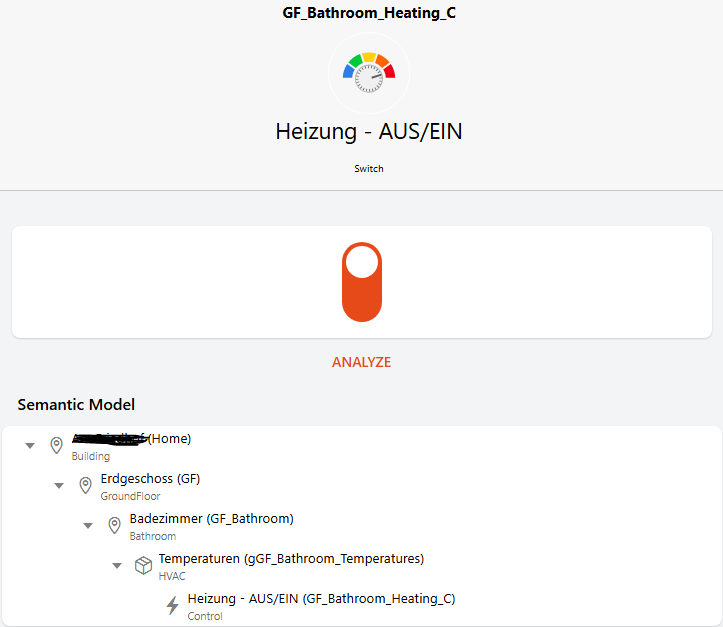
Yup I think that new WebSocket jar file did fix it. Thank you very much!
@florian-h05 Thanks for trying to help.
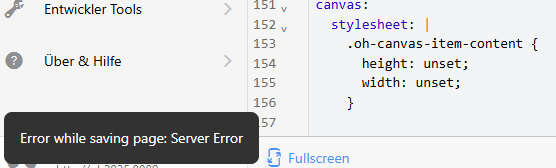
I suppose you mean this as result:
canvas:
  stylesheet: |
    .oh-canvas-item-content {
      height: unset;
      width: unset;
    }
Unfortunately, I cannot save.
Here is a new discovered Main UI feature broken in Main UI in 5.1: the display of the Z-Wave network map.
@digitaldan and @cdjackson for information
This is my question. Are the devices actually mapped to Apple Home one way using the older Homekit AddOn, come back then the other way into OH 5.1 via new Homekit binding, discovered as “new” devices a second time?
In OH using the older Homekit AddOn anyone decides which item shows up in Apple Home. I can’t see that possibility in Apple Home …
The IO addon (“old”) exports Items as Homekit accessory characteristics.
The Binding addon (“new”) imports Homekit accessories as Things and each of its Characteristics as Channels.
As normal in OH any Item can be linked any Channel. So if you want to be perverse you can indeed link the Item to the Channel.
Hi @Harald_Pott
I believe that the stylesheet needs to go under the “config:” section like this (remove the “Y” or the “X” to test either of these*(PS I find it easier to ignore a line by adding an X or Y to the end of the name because I can search and delete or try different settings and see the effect quickly)*
config:
  stylesheetX: |
    .oh-canvas-item-content {
      width: unset;
      height: unset;
      max-width: 100%;
      max-height: 100%;
    }
  stylesheetY: |
    .oh-canvas-item-content {
      height: unset;
      width: unset;
    }
Hi All
I have a few widget display issues that I am not able to resolve. They seem to have been introduced in M3 (I skipped Milestones and went from M1 to Release) and see these as soon as I move beyond M2 (so M3 and beyond)
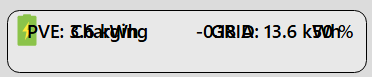
Should be:


Should be:

The Full version of the above also has an animation that stops working on 5.1.0 (though it still works on M3)
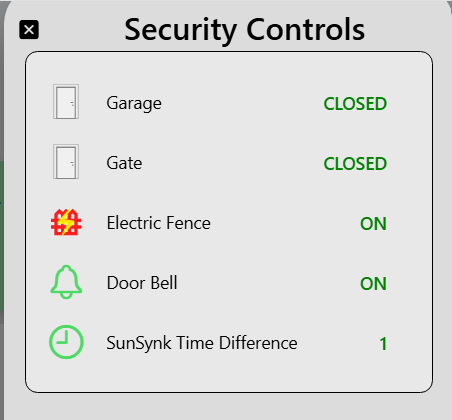
Should be:
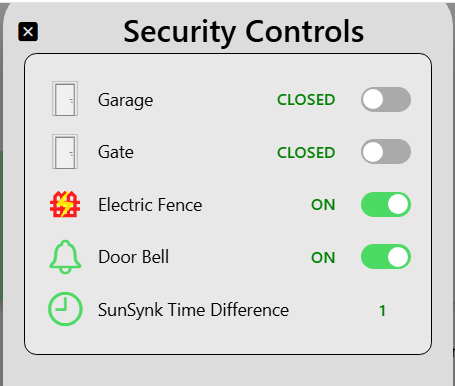
Not sure how to debug this further. Not seeing any errors etc in Devloper Tools (though might not have right options set)
Anyone have any suggestions?
EDIT: Tried the lastest 5.2.0 SNAPSHOT and get the same too.