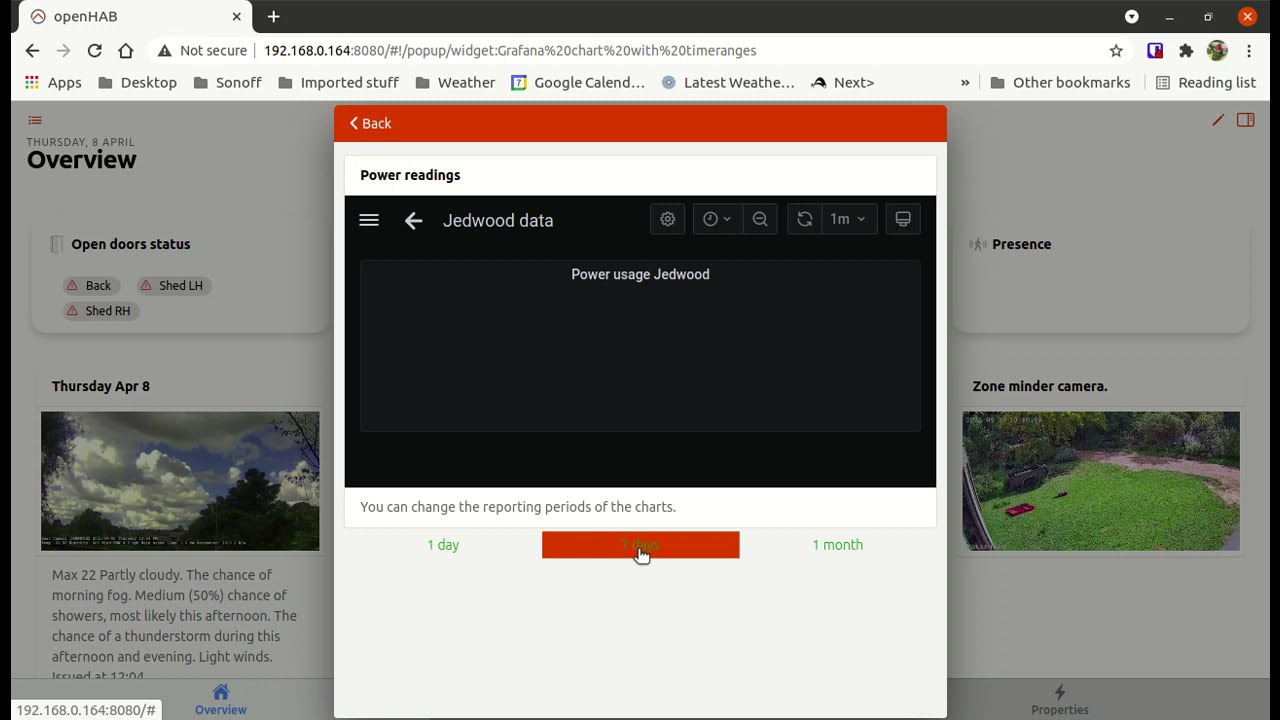
That’s why I had ADD in uppercase 
Now the fun part starts because to find the BOM stuff wasn’t that easy.
Also if you want to use the BOM icons then there is a whole world of pain to get the icons to show up because they have dashes in the file name which is a openhab reserved thing so I had to rename the icons and put underscores in them BUT then you have to run javascript transform on the icons.
I wrote a script to do that in bash it is a rough script but you only need to run it once:
#!/bin/bash
#This grabs the icons that can be used in OH3
//wget http://www.bom.gov.au/images/symbols/large/sunny.png

cd /etc/openhab/icons/classic/

for ICON in storm sunny clear cloudy hazy light-rain wind fog showers rain dust frost snow light-showers heavy-showers partly-cloudy light-rain
do
sudo wget -N http://www.bom.gov.au/images/symbols/large/$ICON.png

done

#mostly-sunny is partly-cloudy so put both icons there
sudo cp partly-cloudy.png mostly_sunny.png
#wind is windy so put both icons there
sudo cp wind.png windy.png
#dust is dusty so put both icons there
sudo cp dust.png dusty.png
#light-showers is light-shower so put both icons there
sudo cp light-showers.png light-shower.png
#showers is shower so put both icons there
sudo cp showers.png shower.png

#dashes are not allowed in the sitemaps etc unless they are dynamic
#replace dashes with underscores. I have a rule that converts the dash to underscore
#so I can use icons

sudo mv partly-cloudy.png partly_cloudy.png
sudo mv light-showers.png light_showers.png
sudo mv light-shower.png light_shower.png
sudo mv light-rain.png light_rain.png
sudo mv heavy-showers.png heavy_showers.png

sudo chown openhab:openhab *.png
Also because the dashes from the bom addon are not supported you have to use underscores.
To do this install transform javascript Restart openhab after installing the transform
Then under the transforms directory create a javascript file and call it dashreplace.js:
(function(i) {
return i.replace(/-/g,‘_’);
})(input)
save the file
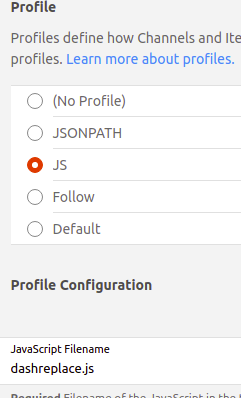
The go to the BOM_Day1_ForecastIcon item and find the profile JS and then add the name dashreplace.js in there. Like below.
.
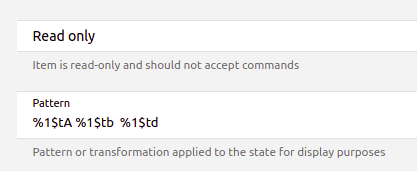
Also in the date for the BOM_Day1_ForecastDateAndTime etc you have to put in the date format you want in the metadata state description
I used %1$tA %1$tb %1$td
You will have to do the above 8 times as there are 8 forecasts and icons.
The BOM addon you need to find and replace the word default with the name of the BOM thing.
It is in the thing decsription. Something like this: bom:weather:1ecb389f21
Find default and replace with 1ecb389f21
And to save you the hassle of creating 100’s of items.
Go here:
https://raw.githubusercontent.com/tomitan100/org.openhab.binding.bom/master/doc/bom.items
Copy all the items into clipboard.
Go to OH3 go to items then press the blue + sign lower left to create an item BUT select add items from Textual Definition
Paste the clipboard in there then press add.
This will add all the items you need for the BOM thing. Then you can use the ones you want to link to the thing.
Hope that helps…
Then you will be able to do things like this:
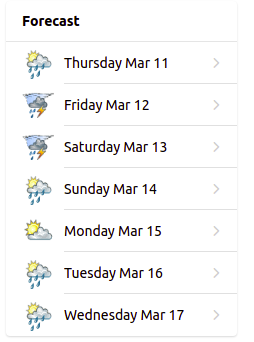
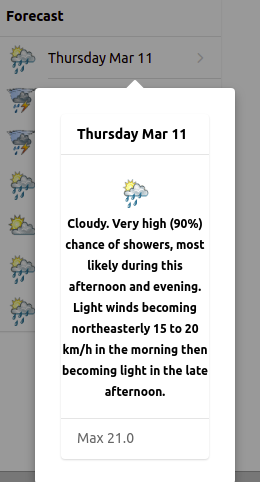
The code for the above looks similar to this:
component: oh-label-card
config:
  title: =(items.BOM_Day2_ForecastDateAndTime.displayState)
  footer: ="Min " +" "+(items.BOM_Day2_MinimumTemperature.state) + "  Max "
    +(items.BOM_Day2_MaximumTemperature.state)
  item: BOM_Day2_ForecastDescription
  fontSize: 12px
  fontWeight: bold
  icon: ="oh:"+(items.BOM_Day2_ForecastIcon.state)
  vertical: true
Good luck.